Using your Cooker Hood
Getting the most from your appliance
or online at www.bush-support.co.uk If you still require further assistance, call one of our experts on 01759 487838
Using your Cooker Hood
19
How to replace the charcoal filters:
The charcoal filters are not supplied with appliance. These can be
sourced via the product support helpline.
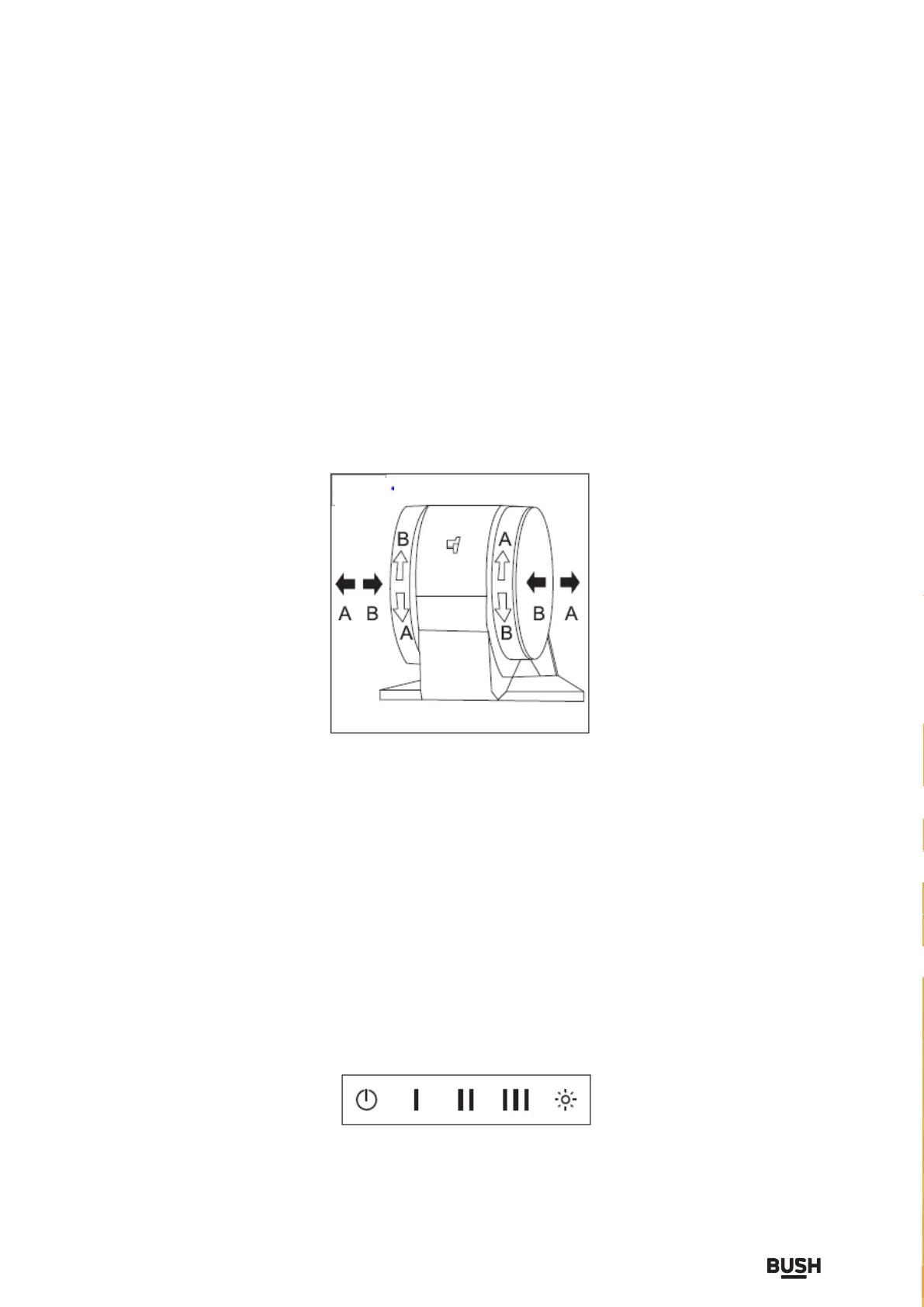
As indicated in the diagram below, push carbon filter as shown as
arrow B and twist in a downwards motion to lock in.
Twist in an upwards motions as show as arrow A and pull outwards
to remove filter.
Cooker Hood Control Panel
The cooker hood has a 5 button control panel as shown in
the image below.
a. Reset button
b. Low speed button
c. Medium speed button
d. High speed button
e. Light button
a b c
d
e


 To Next Page