advance for every tuned channel (when broadcast). Press the EPG button on the Remote
Control to access guide directly.
You can use the LEFT/RIGHT to view what is on other channels. Press the green key
to skip forward 24 hours, and the red key to skip back 24 hours. Press the INFO key to
book programme reminders and the blue key to view more information on the selected
programme.
Sort
Sort your channels from the following options:
[LCN] Sort the channels in ascending order
[ONID] Group the channels by broadcaster
[Service Name] Sort the channels in alphabetical order
[Service ID] Sort the channels according to the station
LCN (Logical channel number)
Set LCN on or off.
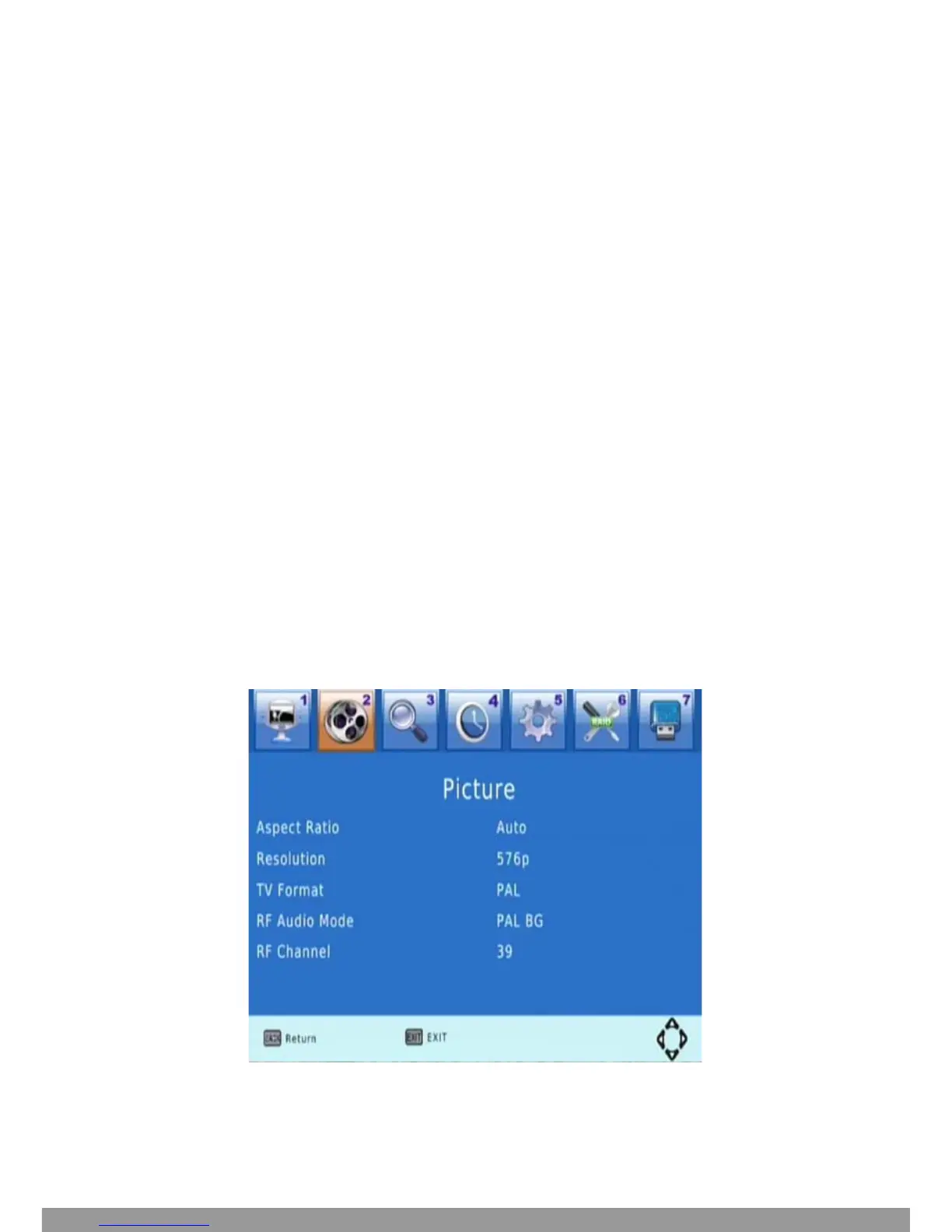
Picture setting
Press MENU then select Picture, and then press OK. 1


 To Next Page