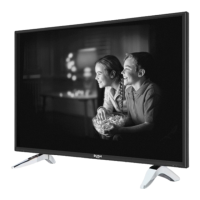
Need help?
Do you have a question about the Bush ELED24HDSDVDWB and is the answer not in the manual?
Guidelines for TV placement, ventilation, and its intended domestic use.
Essential precautions for safe operation, handling, and avoiding hazards.
Instructions for safe TV positioning, power cord connection, and avoiding moisture damage.
Advice on wall mounting, screen care, cleaning, and safe battery handling.
Explains the meaning of important safety symbols used in the manual.
Introduces the TV, lists accessories, features, technologies, and licensing info.
Explains HDR/HLG technology and provides important licensing information.
Instructions for inserting batteries, connecting power, and turning the TV on/off.
Detailed explanation of each button on the TV remote control and its function.
Details various connectors, required cables, and compatible devices for TV connectivity.
Step-by-step guide for initial TV setup, including language, country, and channel tuning.
Explains how to operate the TV using its physical controls and the main menu.
Details TV menu options for apps, settings, sources, and standby behavior.
Instructions on how to play DVDs, including basic playback and button functions.
Explains the functions of remote control buttons during different playback modes.
How to use USB devices for media playback, custom logos, and streaming to mobile devices.
Explains CEC control, audio return channel, e-manual, and parental controls.
How to use the EPG, view schedules, and manage event options like setting timers.
Details software updates and using teletext services.
Detailed explanation of picture settings for optimal viewing quality.
Explains colour shift, tuner settings, gamut mapping, and HDMI full range adjustments.
Comprehensive guide to adjusting sound settings for various audio preferences.
Options for setting up wired or wireless network connections and testing speed.
Explores accessibility, privacy, and system-wide settings for TV operation.
Setup for Alexa voice control, voice commands, and basic Alexa features.
Details on enabling and using the networked standby mode feature for waking the TV.
Steps for connecting the TV to wired and wireless networks for internet access.
How to access and manage TV apps and use the Freeview Play platform.
Guide to using the TV's internet browser and understanding HbbTV services.
Instructions for using the Smart Centre app and sharing media from mobile devices.
Explains voice commands and using the mobile device as a keyboard for TV control.
Detailed steps for integrating Alexa and setting up voice control via Alexa Built-in.
Tips for reducing energy consumption and making the TV environmentally friendly.
Best practices for handling and cleaning discs (DVD, CD, etc.) for optimal playback.
Detailed technical specifications of the TV, including dimensions, power, and display.
Information on wireless LAN specs, country restrictions, and VESA mount dimensions.
Lists supported PC display modes for optimal resolution and frequency.
Details AV and HDMI signal compatibility for various resolutions and refresh rates.
Lists compatible video file formats for playback via USB.
Lists compatible picture and audio file formats for USB playback.
Lists compatible subtitle file formats for USB playback.
Information on DVI resolutions, DVB-T, and Quick UI Launcher services.
Solutions for common TV and DVD playback problems such as no power, picture, or sound issues.
Contact information and required details for customer support and assistance.
Guidelines for the proper disposal and recycling of the TV and batteries.
Details about the 12-month guarantee, registration, and important data protection information.

 To Next Page
 General