EasyManua.ls Logo

Bush Freeview DLED39HDS - User Manual

Bush Freeview DLED39HDS
64 pages
Print Icon
To Next Page IconTo Next Page
Loading...
Instruction manual
DLED39HDS

Table of Contents

Question and Answer IconNeed help?

Do you have a question about the Bush Freeview DLED39HDS and is the answer not in the manual?

Overview

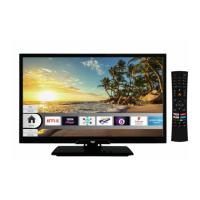
This document is an instruction manual for a Bush DLED39HDS television.

The Bush DLED39HDS is a remote-controlled color TV with a 39-inch display and a resolution of 1366x768 pixels. It features a fully integrated digital terrestrial TV (DVB-T-T2) and supports various broadcast systems including PAL BG/I/DK and SECAM BG/DK. The TV has a wide range of connectivity options including HDMI inputs for connecting external devices, a USB input for media playback, and an Ethernet (LAN) port for internet connectivity. It also has built-in 802.11 a/b/g/n WLAN support for wireless connections.
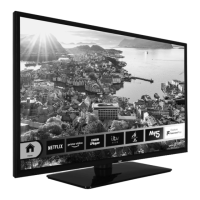
Key Features:

  • High Dynamic Range (HDR) / Hybrid Log-Gamma (HLG): This feature enhances picture quality by reproducing a greater dynamic range of luminosity, offering brighter, more realistic highlights, and improved color and detail. It supports HDR/HLG content via native and market applications, HDMI, and USB inputs.
  • Audio: The TV features a stereo sound system with DTS Virtual:X and DTS-HD audio technologies, providing an immersive sound experience. It has an audio output power of 2 x 8 WRMS (10% THD).
  • Smart Centre Application: This mobile application, available on iOS and Android platforms, allows users to stream live shows and programs from their smart TV to their tablet or phone. It also enables launching portal applications, using the tablet as a remote control, and sharing media files.
  • Alexa Ready: The TV supports Alexa Built-in and Works With Alexa features, allowing users to control TV functions using voice commands. A Microphone Box (sold separately) may be required for Alexa Built-in.
  • Freeview Play Platform: This platform provides integrated catch-up TV services, accessible directly through the electronic program guide or via the Freeview Play button on the remote. It requires an internet connection (WLAN or Ethernet) and acceptance of terms and conditions. A minimum broadband speed of 2Mbps is recommended for catch-up and on-demand services.
  • Internet Browser: The TV includes an internet browser with features like Speed Dial for quick access to websites, History, Tabs, and Bookmarks. It supports USB mice for easier navigation but does not support flash content or direct downloads.
  • Media Playback via USB Input: The TV can play music, movie, and photo files from 2.5" and 3.5" external hard disk drives or USB memory sticks. It supports FAT32 and NTFS disk formatting. Supported video file formats include .mpg, .mpeg, .dat, .vob, .ts, .trp, .m2ts, .avi, .mp4, .m4a, .m4v, .mov, .qt, .3gp, .3g2, .3gpp, .mkv, .flv, .asf, .wmv, .webm, and .tp. Supported picture file formats include .jpg, .jpeg, .bmp, and .png. Supported audio file formats include .mp3, .ac3, .aac, .wma, .amr, and .wav.
  • Custom Boot Up Logo: Users can personalize their TV by setting a favorite image or photo as the boot-up logo from a USB disk.
  • CEC (Consumer Electronics Control): This function allows control of CEC-enabled devices connected via HDMI ports using the TV's remote control. It also supports ARC (Audio Return Channel) via the HDMI2 input, enabling the TV to output audio to an external audio system.
  • System Audio Control: This feature allows an Audio Amplifier/Receiver to be used with the TV, with volume controllable via the TV remote.
  • E-Manual: An electronic manual is available on the TV, providing instructions for its features.
  • Electronic Programme Guide (EPG): The EPG allows users to browse the event schedule of installed channels. It offers Timeline Schedule and Now/Next layouts, with options to filter by genre, search, and set timers for future events.
  • Teletext Services: Teletext is available where supported by the broadcaster, allowing users to view text information and subpages.
  • Software Upgrade: The TV supports software upgrades via USB or over the air (3 AM search and upgrade mode).
  • Parental Settings: The Parental menu allows users to prohibit viewing of certain programs, channels, and menus using a PIN. Options include Menu Lock, Maturity Lock, Child Lock, Guidance, and Internet Lock.
  • Energy Saving: The TV offers various energy-saving modes (Minimum, Medium, Maximum, Auto, Screen Off, Off) and allows manual adjustment of the backlight level.
  • Standby Mode LED: The standby mode LED can be turned off.
  • Auto Power Down: The TV can be set to automatically enter standby mode after a specified period of inactivity (1 to 8 hours).
  • Subtitle Mode: Users can select DVB subtitle or Teletext subtitle modes.
  • Audio Video Sharing: This feature allows sharing of photos, music, and videos stored on a smartphone or tablet PC with the TV over a home network.
  • Wireless Display: This feature enables using the TV as a wireless display device for streaming video and sound content from mobile devices.

Technical Specifications:

  • Display Size: 39 inches / 98 cm (diagonal)
  • Resolution: 1366x768 pixels
  • Energy Efficiency Class: A+
  • On Mode Average Power Consumption: 44 W
  • Annual Energy Consumption: 64 kWh/annum
  • Standby Power Consumption: 0.50 W
  • Networked Standby Mode Power Consumption: < 2 W
  • Operating Voltage: 220-240V AC, 50Hz
  • RF Aerial Input: 75 Ohm (unbalanced)
  • TV Dimensions (DxLxH):
    • With foot: 235 x 889 x 577 mm
    • Without foot: 61/99 x 889 x 523 mm
  • VESA Wall Mount Measurements: Hole Pattern Sizes (W x H): 200 x 200 mm. Screw Sizes: Length (X) min. 10mm, max. 13mm. Thread (Y): M6.
  • Operating Temperature and Humidity: 0°C to 40°C, 85% humidity max.
  • Wireless LAN Transmitter Specifications:
    • Frequency Ranges: 2400-2483.5 MHz (CH1-CH13), 5150-5250 MHz (CH36-CH48), 5250-5350 MHz (CH52-CH64), 5470-5725 MHz (CH100-CH140).
    • Max Output Power: < 100 mW for 2400-2483.5 MHz, < 200 mW for 5150-5725 MHz bands.

Maintenance Features:

  • Cleaning: Before cleaning, unplug the TV. Use only a soft, dry cloth; do not use liquid or aerosol cleaners.
  • Battery Handling: Ensure correct polarity when inserting batteries. Do not mix old and new batteries or different types. Do not dispose of batteries in fire or with normal household waste; take them to a local recycling center.
  • Software Upgrade: Regularly check for and install software upgrades to ensure the TV has the latest firmware.
  • First Time Installation Reset: The "First time installation" option in the Installation menu deletes all stored channels and settings, resetting the TV to factory settings.

Safety Information:

  • General Precautions: Avoid exposing the TV to rain or water. Do not place liquid-filled objects on top of the TV. Ensure proper ventilation and do not block openings. Keep the TV away from direct sunlight, open flames, and intense heat sources.
  • Wall Mounting: Read instructions carefully. Use specified screws and accessories. Do not over-tighten screws.
  • Battery Safety: Coin/button cell batteries can cause severe internal burns if swallowed. Keep new and used batteries away from children. Seek immediate medical attention if batteries are swallowed.
  • TV Stability: Always use recommended cabinets, stands, or mounting methods. Ensure the TV is not overhanging furniture and educate children about climbing hazards. Route cords and cables to prevent tripping.
  • Headphone Volume: Excessive sound pressure from earphones can cause hearing loss.
  • Laser Product: This TV contains a Class 1 laser source, safe under reasonably foreseeable conditions.
  • Earthing: Connection to a TV distribution system using coaxial cable, through the mains connection or other apparatus with protective earthing, must be provided through a device providing electrical isolation (galvanic isolator) to prevent fire hazards.

Bush Freeview DLED39HDS Specifications

General IconGeneral
BrandBush
ModelFreeview DLED39HDS
CategoryLED TV
LanguageEnglish

Related product manuals