14
COLOR VIEWER
(119477 only)
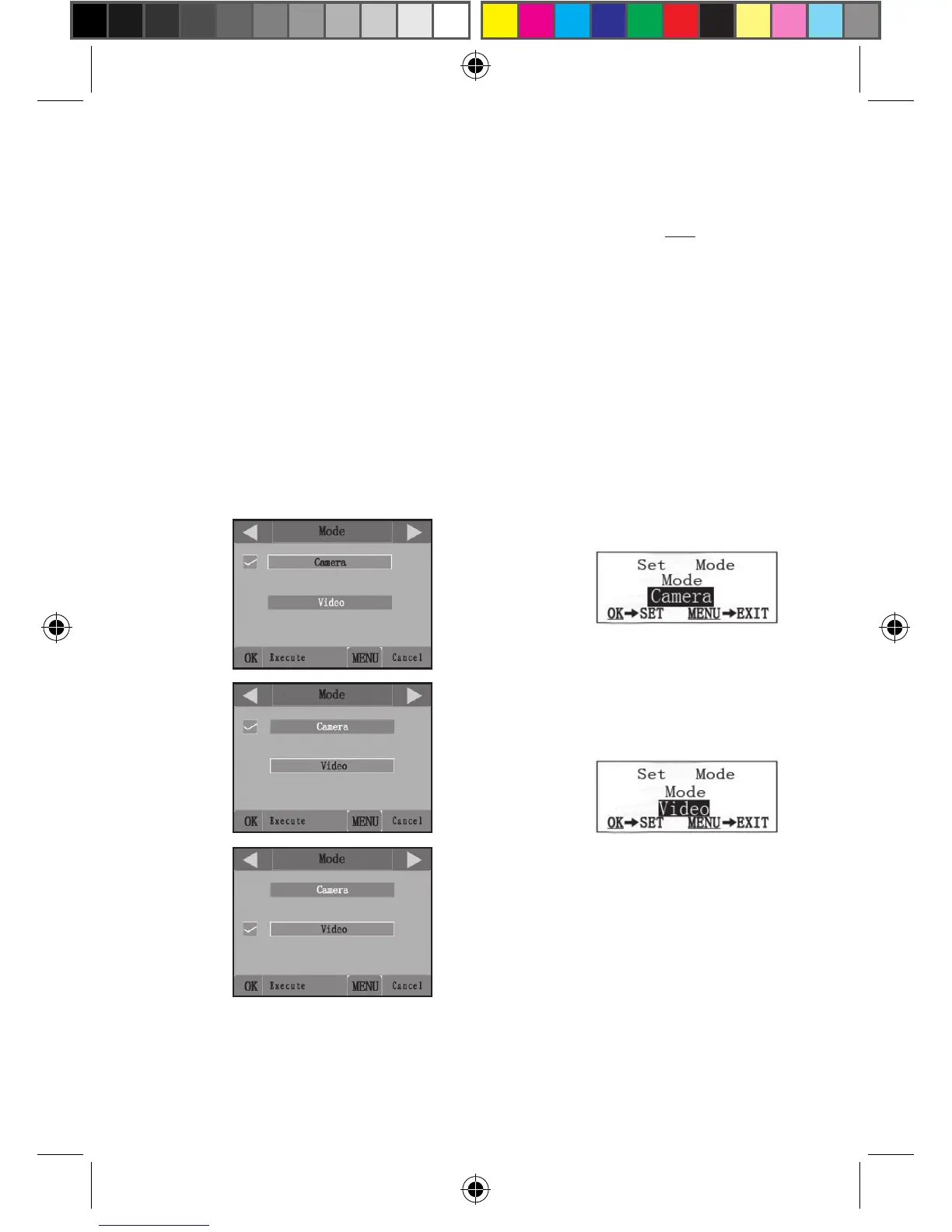
(4a)
(4b)
(4c)
Fig. 4: Selecting Parameter Settings
setting. The checkmark will appear next to your new setting to confirm this
(Fig. 4c).
• On models with standard (non-color) display, only one setting is
displayed at a time, starting with the current setting for the parameter
when it is first selected (Fig. 4d). To change the setting, use the UP/
DOWN keys to display the new setting you want (Fig. 4e), then press
OK to “Execute” (make the actual change to this setting). If you want to
confirm this setting is now the current one, just press the RIGHT key
to scroll to the next parameter, then press LEFT to go back again to the
previous one. You should see the parameter setting you just made.
STANDARD DISPLAY
(4d)
(4e)
Press MENU
Press DOWN
Press OK












 To Next Page