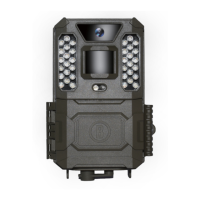
After the photos are copied to your hard drive, you can disconnect the Prime Trail
Camera. (On Mac computers, drag the “disk” that appear
ed on your desktop when
the camera was connected into your Trash to “eject” it before disconnecting.) The
standard files from the Prime Trail Camera may be viewed and edited with any
photo software you choose to use. The .avi video files may be vie
wed with Windows
Player (version 7 or later) as well as other video playback programs that may
have been supplied with your computer, or are available
online.
Camera takes continuous images of no subject
known as a “false trigger” if the PIR sensor thinks that there
motion and heat in front of the camera lens when there is no subject in the image.
“False Triggers” are the result of placing the camera in an environment where
is motion associated with tree branches creating motion in front of the camera
or an area where there is high heat in the foreground and any motion from wind
could set off the camera. Setting a camera up over water is also a potential cause
for this issue.
To remedy this situation:
1. Try moving the camera to an area that does not have any of these issues or try
changing the sensor level on the menu
settings.
2. If the camera continues to take images when there is no subject in them, try
the camera in an inside environment and aiming at a location where there is
motion.
3. If the camera continues to show issues, then there is probably an electronic
component issue. If this is the case, please contact our customer service to send
the camera back for
repair.
Battery life is shorter than expected
1. Battery life will vary with operating temperature and the number of images taken
over time. Typically, the
Prime Trail Camera will be able to capture several
thousand images before the batteries
die.
make sure you have used new alkaline or lithium batteries. Bushnell
recommends using Energizer® Lithium AA batteries in your
2. Prime Trail Camera to obtain maximum battery life.
3. Make sure that the power switch was turned to the “On” position and that the
era was not left in “AIM” mode while in the field.
Make sure that you are using a good quality name brand SD card in your camera.
Bushnell recommends SanDisk® brand SD Cards up to 32GB. Our experience
indicates that poor quality SD cards can sometimes reduce your
Prime Trail



 To Next Page