5
Click to Return to the Table of Contents
HOW TO USE SLOPE +/-
Press the Power/Fire button to obtain the distance to the flag or other objects. Once the range is displayed, release
the Power/Fire button. Once the Power/Fire button is released, the grade percentage and compensated range will be
displayed beneath the standard distance in the second row of numbers.
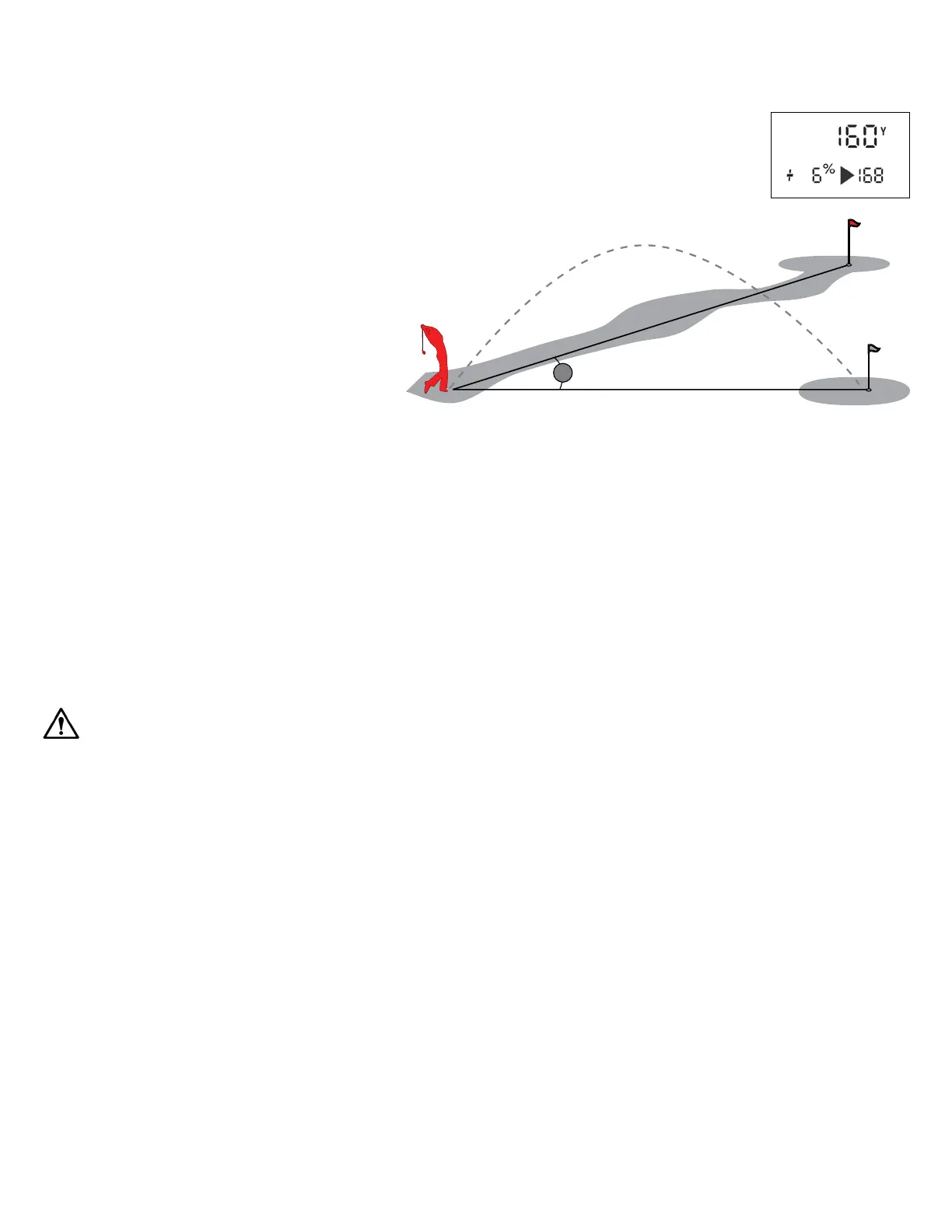
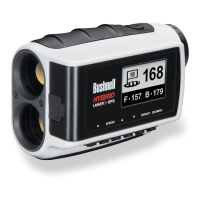
For example, if the true distance is 160 yards, but with a slope of +6 percent, the Slope compensated
(“play-as”) range is 168 yards. The display would show this (right):
THE ADVANTAGE OF SLOPE +/-
The distance to the black flag in the drawing (see
below) is 160 yards. It is also 160 yards to the red
flag, although it is on a slope with a 6% grade
(uphill incline). However, if a golfer were to play
this hole as 160 yards, the ball (X) would fall short
of the hole/flag if slope was not taken into account.
Therefore, due to the slope, it should be played as
a 168 yard shot. This distance displays the “play as”
distance below the line of sight distance.
CLEANING AND GENERAL CARE
Your Bushnell A1 Slope laser rangefinder lenses are fully multi-coated for the highest light transmission. However, as with
multi-coated optics, take special care to clean the lenses. Follow these tips for proper lens cleaning:
• Blow away any dust or debris on the lens (or use a soft lens brush).
• To remove dirt or fingerprints, clean with the supplied microfiber cloth rubbing in a circular motion. Using a coarse
cloth or unnecessary rubbing may scratch the lens surface and cause permanent damage. The included washable
microfiber cleaning cloth is ideal for cleaning your optics. First, breathe lightly on the lens to provide slight moisture,
then gently rub the lens with the microfiber cloth.
• For a more thorough cleaning, photographic lens tissue and photographic-type lens cleaning fluid or isopropyl alcohol
may be used. Always apply the fluid to the cleaning cloth – never directly on the lens.
• The rangefinder is water resistant but should not be exposed to heavy rain or other direct streams of water and will not
withstand submersion in water or other liquids.
CAUTION: Use caution to avoid direct sunlight into the eyepiece to prevent damage to the display/internal components. When
using the BITE magnet to attach the device to a cart bar or frame, tilt the device so the eyepiece aims towards the ground, not
pointed upwards towards the sun. When you are not using the device, please store it in the case for additional protection.
TROUBLESHOOTING
NEVER DISASSEMBLE YOUR LASER RANGEFINDER. IRREPARABLE DAMAGE CAN RESULT FROM UNAUTHORIZED
SERVICE ATTEMPTS, VOIDING THE WARRANTY.
If the unit does not turn on or the display does not illuminate:
• Depress Power/Fire button.
If the unit powers down (the display goes blank when attempting to power the laser):
• The battery is either weak or low quality. Recharge unit with power cord provided.
If target range cannot be obtained:
• Ensure the display is illuminated.
• Make sure that the Power/Fire button is being depressed.
• Ensure that nothing, such as your hand or finger, is blocking the objective lenses (lenses closest to the target) that emit
and receive the laser pulses.
• Make sure the unit holds steady while depressing the Power/Fire button.
NOTE: The last range reading does not need to be cleared before ranging another target. Aim at the new target using the display
reticle, depress the Power/Fire button, and hold until the new range reading is displayed.
160 YARDS
160 YARDS
X
6%




 To Next Page