9
SKU
Magnication
Objective Diameter
Prism System
Field of view
ft@1000yds /
m@1000m
Exit Pupil (mm)
Eye Relief (mm)
Close Focus (ft/m)
Length (in/mm)
Weight (oz /g)
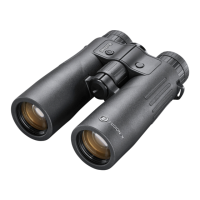
FX1042AD 10x 42 MM Roof 305/93 4 16 15 / 4.6 7.1/180 35/992
Technical Specications
CLEANING AND GENERAL CARE
The lenses of your Bushnell Fusion™ X laser ranging binocular are fully multi-coated for the highest light transmission. As with any multi-coated optics, care must be taken in cleaning
the lenses. Follow these tips for proper lens cleaning:
• Blow away any dust or debris on the lens (or use a soft lens brush).
• To remove dirt or ngerprints, clean with the supplied microber cloth rubbing in a circular motion. Use of coarse cloth or unnecessary rubbing may scratch the lens surface and
eventually, cause permanent damage. The included washable microber cleaning cloth is ideal for the routine cleaning of your optics. Breathe lightly on the lens to provide a
slight amount of moisture, then gently rub the lens with the microber cloth.
• For a more thorough cleaning, photographic lens tissue and photographic-type lens cleaning uid or isopropyl alcohol may be used. Always apply the uid to the cleaning cloth
– never directly on the lens.
All exterior lens surfaces have our new EXO Barrier™ coating (in addition to full multi-coating). EXO Barrier, quite simply, is the best protective lens coating technology Bushnell has
ever developed. Added at the end of the coating process, EXO Barrier molecularly bonds to the lens and lls the microscopic pores in the glass. The result is an ultra-slick coating that
repels water, oil, fog, dust, and debris - rain, snow, ngerprints, and dirt will not stick. EXO Barrier is built to last: the bonded coating will not fade with the passage of time or normal
wear and tear.
The ranging binocular is manufactured and tested to withstand water exposure up to IPX4 standards. It is water-resistant but should not be submerged.
TROUBLESHOOTING
Never disassemble your laser-ranging binocular. Irreparable damage can result from unauthorized service attempts, which also void the warranty.
If the unit does not turn on, the display does not illuminate:
• Depress Power/Fire button.
• Check and, if necessary, replace the battery. If the unit does not respond to button presses, replace the battery with a good quality CR2 3-volt Lithium battery.
If unit powers down (display goes blank when attempting to power the laser):
• The battery is either weak or low quality. Replace the battery with a new 3 -volt lithium battery (CR2).
If target range cannot be obtained:
• Make sure the display is illuminated.
• Make sure that the Power/Fire button is being depressed.
• Make sure that nothing, such as your hand or nger, blocks the lenses at the front of the ranging binocular that emits and receives the laser pulses.
• Make sure the unit is steady while depressing the Power/Fire button.
NOTE: The last range reading does not need to be cleared before ranging another target. Simply aim at the new target using the display reticle, depress the power button, and
hold until the new range reading is displayed.



 To Next Page