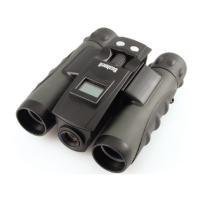
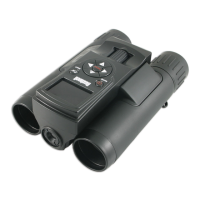
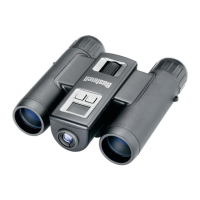
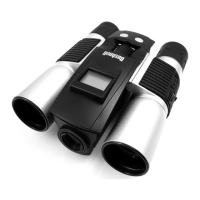
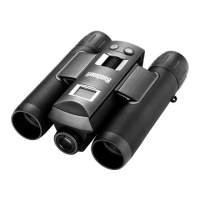
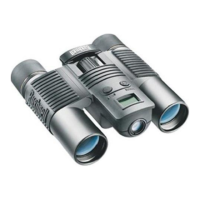
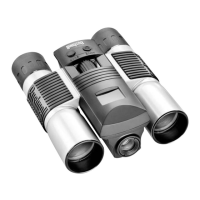
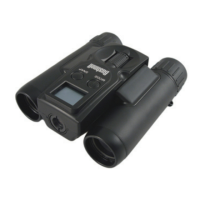
The Bushnell ImageView binocular is a versatile device that combines the functionality of a high-quality compact binocular with a built-in digital camera. This integration allows users to observe distant objects and simultaneously capture still images or video clips. The device is designed for various outdoor activities such as sporting events, wildlife observation, and scenic viewing.
Function Description:
The primary function of the Bushnell ImageView is to provide enhanced visual observation through its binocular optics while offering the capability to record visual data digitally. Users can capture photos or videos of what they are observing, which can then be downloaded to a computer for storage, editing, printing, or sharing via email. The device operates with a simple interface, making it accessible for users who want to quickly capture moments without complex settings.
Important Technical Specifications:
- Power Source: Two AAA alkaline, lithium, or NiMh batteries (not included). A power meter on the display indicates battery condition.
- Storage: Supports SD cards (not MMC cards) up to 32 GB capacity for expanded storage. Some units may have a small amount of internal memory (8MB or less) for testing purposes, but this is volatile and not recommended for long-term storage.
- Camera Focus: Preset to take sharp photos from approximately 75 feet to infinity.
- Video Resolution: 640x480 pixels per frame at 25 frames per second (fps).
- Connectivity: USB mass storage device, compatible with Windows® 2000/ME/XP/Vista/Windows 7 (Windows 98 not supported) and Mac OS 9 / OS X. Requires an internal USB port on the computer.
- Automatic Shut-off: The camera automatically turns off after about 3 minutes of inactivity to conserve battery life.
- Binocular Optics: Features adjustable interpupillary distance (IPD) and a diopter adjustment for fine-tuning to individual eyesight. Eyecups are rubber roll-down type for comfort and to exclude extraneous light, suitable for users with or without glasses.
Usage Features:
- Turning On/Off: Press and hold the MODE button for two seconds to turn on the camera. It automatically turns off after 3 minutes of no button presses.
- Taking Photos/Videos: Press the SNAP button to take a picture or to start/stop shooting a video when in video mode.
- Optional Operating Modes:
- Self-Timer: Activates a 10-second delay before taking a photo, useful for avoiding camera shake.
- Video Mode: Allows recording video clips. Recording continues until SNAP is pressed again or memory is full.
- Delete Last: Deletes only the most recent photo or video.
- Delete All: Erases all memory contents. Requires pressing SNAP twice to confirm.
- Continuous Shooting (CS): Shoots a rapid series of three photos with a single press of SNAP.
- Mode Selection: Briefly pressing the MODE button cycles through the available operational modes, indicated by icons on the display. The SNAP button is used to perform the operation after selecting a mode. If SNAP is not pressed within 5 seconds, the camera returns to normal operation.
- Binocular Adjustment:
- Interpupillary Distance (IPD): Adjust the hinge to match the distance between your eyes until a single circular field is seen.
- Diopter Adjustment: Set the diopter adjustment to zero. Cover the right objective lens and focus the left side using the center focus wheel. Then, cover the left objective lens and adjust the diopter setting ring for the right eye until the image is sharp.
- Eyecups: Roll down eyecups for comfortable viewing, especially for glasses wearers, to see the full image without cutoff.
- Computer Connection: Connect the ImageView to a computer using the supplied USB cable. The device is recognized as a "Removable Disc" or "storage device," allowing easy transfer of .JPG photo files and .AVI video files from the "DCIM" folder. The camera draws power from the computer when connected via USB, preventing battery drain.
Maintenance Features:
- Storage: Store the binocular in a cool, dry place with eyecups in the "up" position to prevent stress and wear.
- Battery Management: Remove batteries if the device will not be used for a long period. Ensure all photos/videos are downloaded first.
- Cleaning:
- Use a soft lens brush or blow away dust/debris from the lens.
- For fingerprints or dirt, use a soft cotton cloth and rub in a circular motion. Microfiber cleaning cloths are recommended.
- For thorough cleaning, use photographic lens tissue and lens cleaning fluid or isopropyl alcohol, applied to the cloth, not directly to the lens.
- Safety Precautions:
- Avoid banging or dropping the device.
- Do NOT look directly at the sun through the binoculars, as this can cause permanent eye damage.
- The ImageView is not waterproof or fogproof; avoid exposure to excessive liquid or moisture. Water damage is not covered by the warranty.
- Troubleshooting: If the camera experiences problems or the display becomes unresponsive, remove the batteries for at least one minute, then re-install them to reset the device.

 Need help?
 General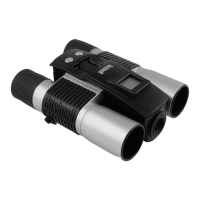


 To Next Page