Need help?
Do you have a question about the Bushnell iON 2 and is the answer not in the manual?
Insert watch into cradle, connect to USB port. Display shows 'CHARGING'.
Charge battery fully, power on the unit, and activate backlight.
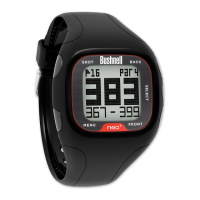
Enter mode, select course, understand on-screen display, and hazards.
Access Bluetooth connectivity and Pedometer functions.
Download new course data, request updates, and connect to PC/Mac.
 General
| Display Type | LCD |
|---|---|
| Bluetooth | Yes |
| GPS | Yes |
| Auto Course Recognition | Yes |
| Auto Hole Advance | Yes |
| Distances | Front, Center, Back |
| Hazard Distances | Yes |
| Shot Distance Calculator | Yes |
| Odometer | Yes |
| Scorekeeping | Yes |
| Activity Tracking | No |
| Connectivity | Bluetooth |
| Compatibility | iOS and Android |
| Strap Material | Silicone |
| Mobile App | Bushnell Golf App |


 To Next Page