26
The Play Page
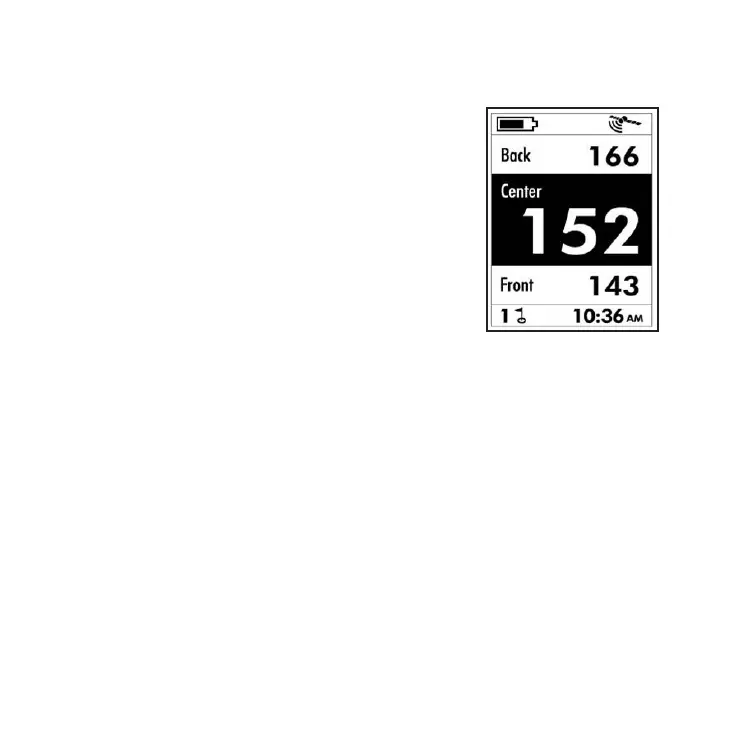
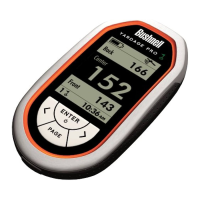
The Play page is where you will spend
most of your time when using the YP
GPS. It simply shows you the distances
in yards (or meters-see Setting #5)
from your current location to the
Front, Center and Back of each green
on the course. You can view the Play
page anytime by selecting it from the
Start screen and pressing ENTER,
or, if you are on the Settings page,
by pressing the PAGE key, selecting
“PLAY” then pressing ENTER. Along
with the distance readings, battery
condition and GPS reception icons, the Play page also
displays the number of the current hole (next to the
ag/hole icon) and the clock time.
Reading Distances to the Green (Standard)
The distances from your location to the Front, Center
and Back of the green as shown on the Play page always
start with the rst hole of the course you selected. After
playing the rst hole, press the DOWN (Next) key once
to advance to the second hole. You will see the hole #
indicator in the lower left corner of the display change
to “2”, and the distances to the 2nd green from your
current position are now displayed. If you accidently set
the YP GPS one or more holes ahead, simply press the
UP (Previous) key to change the hole number
back.





 To Next Page