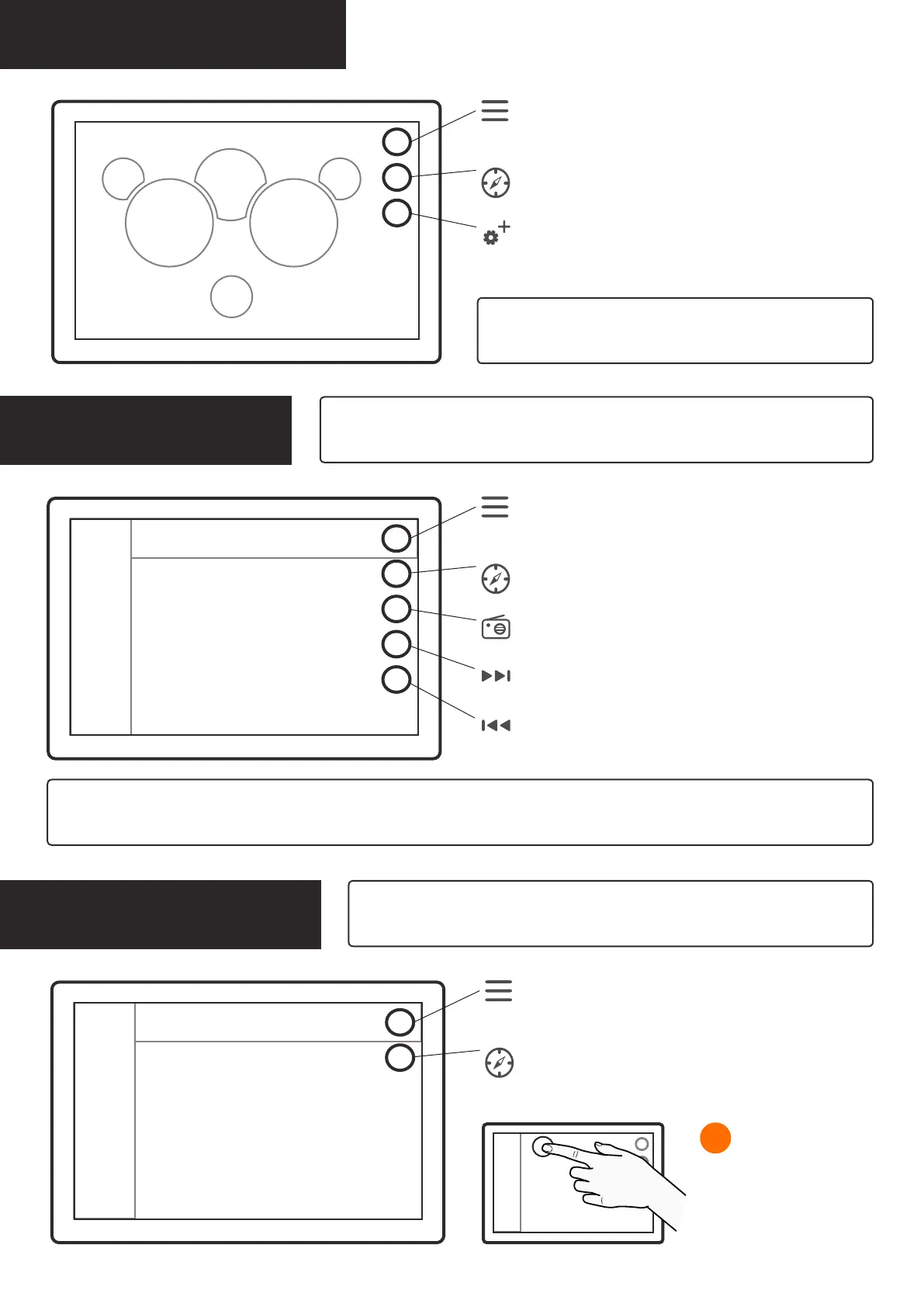
Applications: Dashboard
Menu
opens main menu,
long press is a shortcut to default application from other apps
Map shortcut
opens Map application
Dashboard second page
opens detailed engine data
Dashboard displays boat’s main engine gauges. Access the
second page to view more detailed engine data.
RPMspeed
fuel +
fuel ow
trip
vltg trim
time engine h depth heading
Applications: Radio
Menu
opens main menu,
long press is a shortcut to default application from other apps
Map shortcut
opens Map application
On/Off
switches radio on and off
Radio application has slots for saving your favorite FM radio channels. To save the now playing channel, tap on a + icon at the end
of an empty slot. To remove a saved channel, tap on the - icon at the end of the channel’s name.
now playing
Scan forward
scans radio channels
Scan back
scans radio channels
favorite channels
Applications: Weather
Menu
opens main menu,
long press is a shortcut to default application from other apps
Map shortcut
opens Map application
If you want to receive real-time weather warnings from the Q system, go to
Alarms in Settings application and check the Weather warnings checkbox.
dates
weather details
To view forecast for different
dates, simply tap on any of the
available dates.
1 Changing date
You can switch between FM and DAB radio types in System Settings. Function keys
for DAB radio feature Search and Reset keys instead of Scan forward and Scan back.


 To Next Page