INDEX
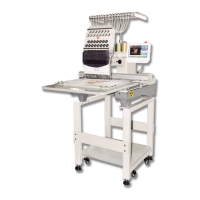
II BECS-528 Computerized Embroidery Machine's Manual
Chapter 6
Setting Design Direction..............................................................................................................28
Chapter 7 Frame Operations........................................................................................................................29
7-1
Manual Frame Moving .............................................................................................. 29
7-2
Returning to Origin Point ..........................................................................................29
7-3
Restore Pattern’s Origin Point...................................................................................29
7-4
Save Pattern’s Origin Point........................................................................................ 30
7-5
Auto-search of the Origin Point................................................................................. 30
7-6
Moving Frame along the Border................................................................................ 31
7-7 Return to the Stop Point............................................................................................. 31
Chapter 8
Embroidery Speed (Main Shaft Speed)...................................................................................33
8-1 Setting the Limit Speed..............................................................................................33
8-2
Setting Embroidery Speed ......................................................................................... 34
Chapter 9 Assistant Operation and Setting the Parameters..................................................................35
9-1
Setting of Magnification, Rotation and Repetition....................................................35
9-2
Frame to Point............................................................................................................37
9-3
Operations of Pattern Periphery................................................................................. 37
9-4
Setting the Offset Point (under Embroidery Confirmation Status)............................ 40
9-5
Set Frame Protection at Power Off / Set Frame Origin(Frame Origin Memory)......41
9-6
Frame Restoring after Power Off............................................................................... 41
9-7 Set Machine Parameters............................................................................................. 42
9-8
Compensating of Satin Stitches................................................................................. 43
9-9
Display Language ...................................................................................................... 44
9-10
Set Cyclic Embroidery...............................................................................................45
9-11
Set Date&Time ......................................................................................................... 45
Chapter 10
Management of Pattern in Memory ........................................................................................46
10-1
Select a Pattern for Embroidery.................................................................................46
10-2
Display Pattern in Memory........................................................................................46
10-3 Input Design to Memory from Disk ..........................................................................46
10-4
Copy the Pattern.........................................................................................................47
10-5
Edit the Pattern...........................................................................................................48
10-6
Delete the Pattern.......................................................................................................48
10-7
Divide the Pattern ...................................................................................................... 48



 To Next Page