INDEX
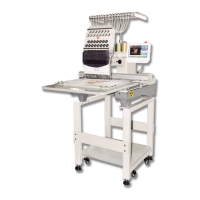
BECS-528 Computerized Embroidery Machine's Manual III
10-8
Pattern Combination .................................................................................................. 49
10-9
Editing the Combination Pattern (Packed Pattern).................................................... 50
10-10
Clear All Patterns.......................................................................................................51
10-11 Output Pattern from Memory to Disk........................................................................ 52
Chapter 11
Pattern Edition..............................................................................................................................53
11-1 Start Edition of Pattern ..............................................................................................53
11-2
Description of Pattern Edition ................................................................................... 54
11-3
File and View Operation............................................................................................54
11-4
Stitch-positioning and Stitch-editing.........................................................................55
Chapter 12
Operations of High-speed Pattern and Letter Patterns.......................................................57
12-1
Enter the Letter Pattern.............................................................................................. 57
12-2
Input Letter String and Basic Parameters .................................................................. 57
12-3
Save Letter Pattern..................................................................................................... 62
12-4
Operation of High-speed Pattern ............................................................................... 63
Chapter 13
Customized Operation................................................................................................................64
Chapter 14 Compile the Combination Pattern and the Embroidering Pattern..................................66
14-1
Compile the Combination Pattern (Create Basic Pattern from Combination Pattern)66
14-2
Compile the Embroidering Pattern............................................................................66
Chapter 15
Initialize the System Parameters during Power-on..............................................................68
Chapter 16
About Appliqué(Patching Embroidery) .................................................................................70
Chapter 17
Turn the Main Axis at 100 Degree Manually ........................................................................71
17-1
Turning the Main Shaft Manually .............................................................................71
17-2 Needle Down Operation ............................................................................................71
Chapter 18
Move Frame to Make a New Design........................................................................................73
Chapter 19
Set Cyclic Embroidery................................................................................................................74
Chapter 20
No Pattern Output .......................................................................................................................75
20-1
Summary....................................................................................................................75
20-2
Set "NO OUTPUTTING DESIGN" .......................................................................... 75
20-3
Cancel "NO OUTPUTTING DESIGN" .................................................................... 75
Chapter 21
Testing.............................................................................................................................................76
21-1
Main Shaft Speed Testing.......................................................................................... 76
21-2
Mechanical Part Test .................................................................................................76



 To Next Page