Moves your bricks. Fast. 31 UG_1.6 © 2021 BuWizz
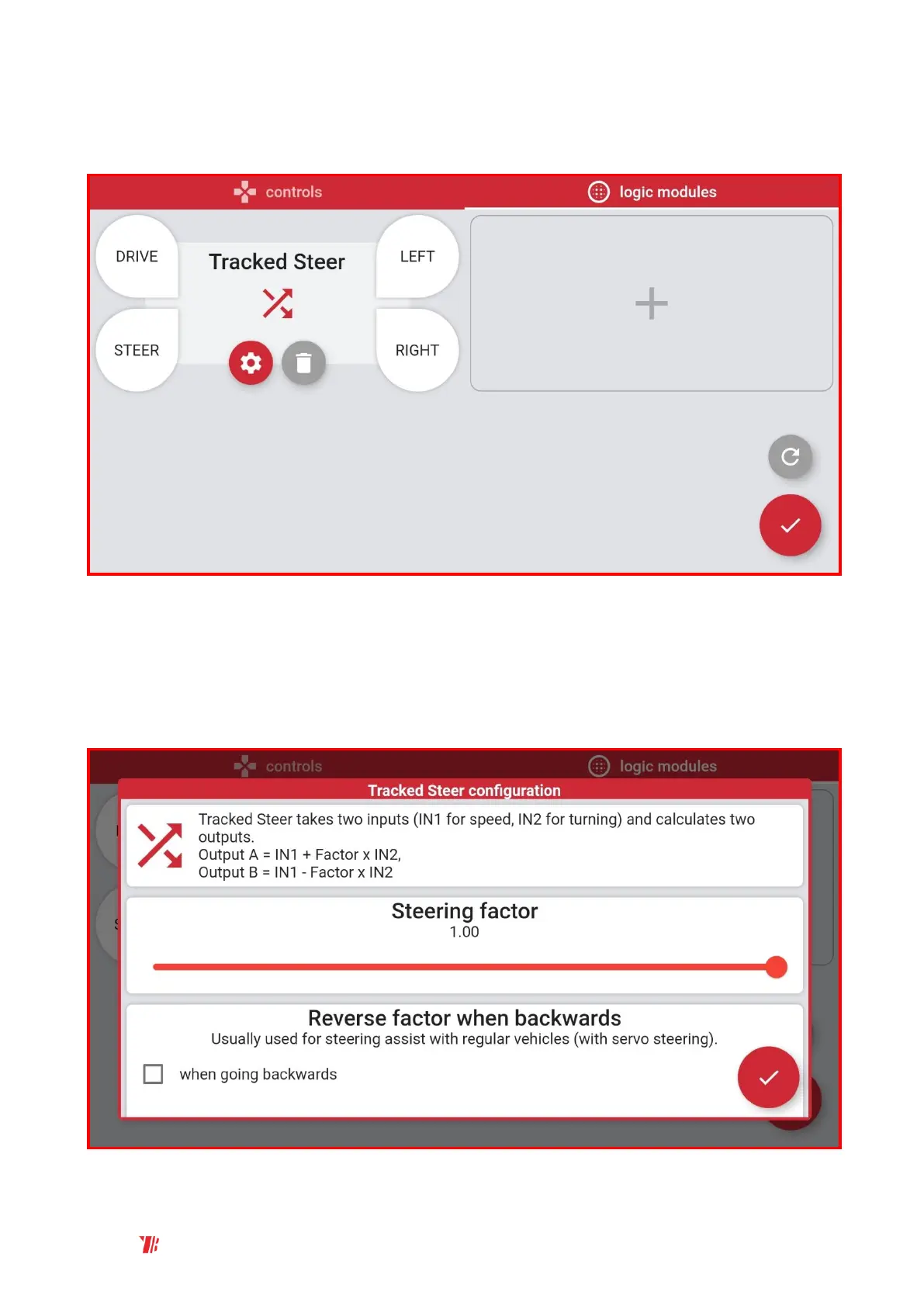
4. Tapping the Gear symbol allows you to configure the Tracked Steer Mixer. Tapping drive and
steer allows you to link the sliders. Tapping LEFT or RIGHT links that Mixer output to BuWizz
port.
5. You can configure the steering factor and reverse it. Default steering factor setting is 1,
which is a maximum setting. Steering factor 1 causes the drive motors to spin in opposite
direction at full power when steering slider is at maximum and drive slider is at 0. Lowering
the steering factor will reduce the difference between drive motors at full steering. For
vehicles with classic steering and independent left and right motor control you can reverse
the steering factor by tapping when going backwards option.



 To Next Page