Moves your bricks. Fast. 38 UG_1.6 © 2021 BuWizz
10. Wi-Fi live stream (FPV) camera support
BuWizz App allows you to connect to a Wi-Fi live stream (FPV – First Person View) camera in order
to project the camera’s image in the background of the control profile.
In order to use this function, you will need a compatible Wi-fi camera, which is sold in BuWizz
online shop.
1. Turn on the Wi-Fi camera
2. Press ARROW DOWN BUTTON on the right side of the camera to enable it’s Wi-Fi
3. In your control device’s Wi-Fi settings connect to iCam Wi-Fi Network
4. Insert camera’s Wi-Fi PASSWORD which is 1234567890
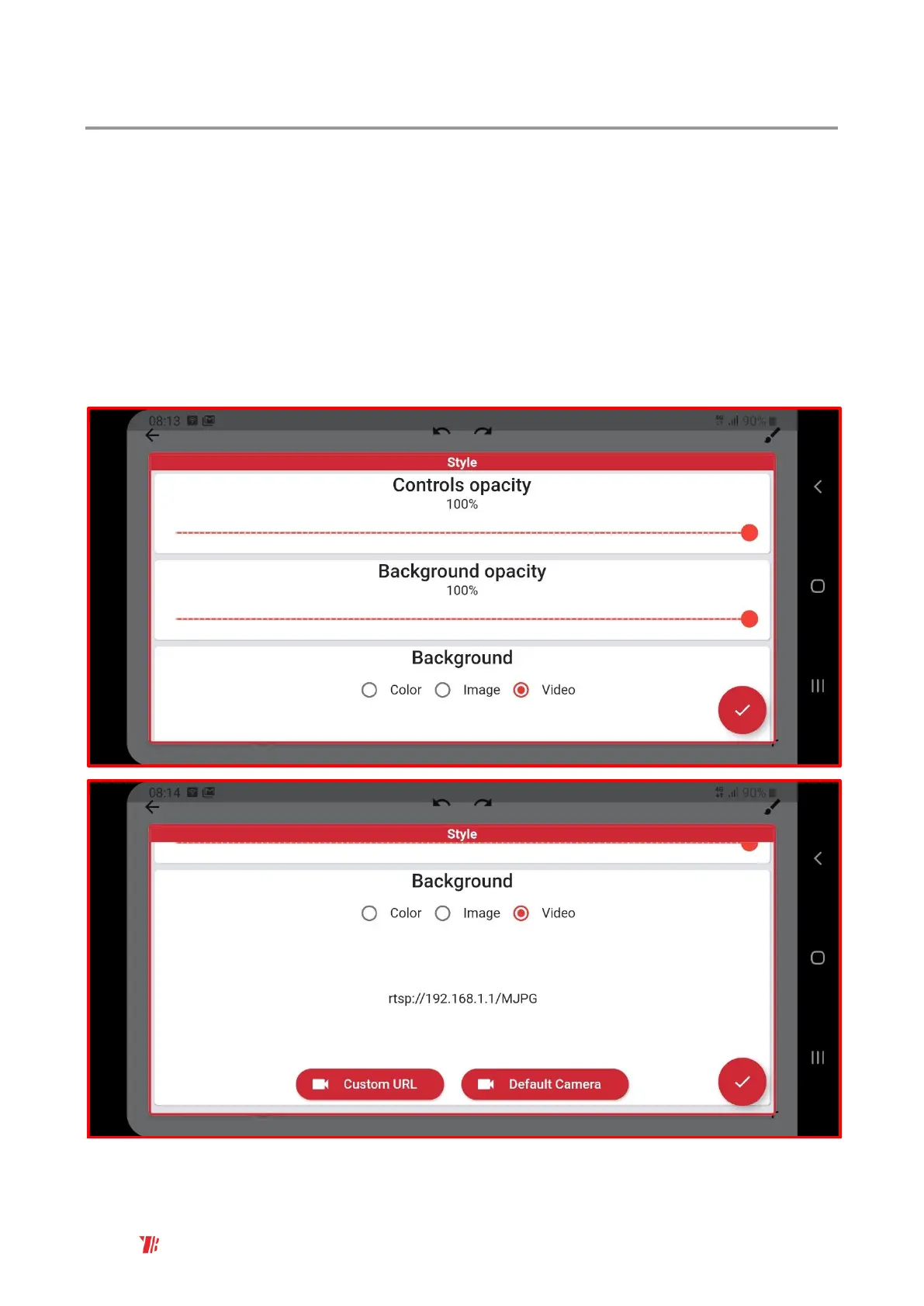
5. In the Custom Profile - Background choose Video option and select Default Camera:



 To Next Page