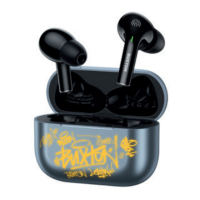
EN 13
Charging
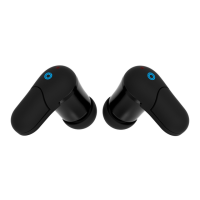
Earphones LED indicator:
Pairingtheearphoneswillbeindicatedby
alightblueintermittentLEDindication.
Warning: For charging, use only the original
accessories supplied with the appliance. To
achievemaximumbatterylife,itisadvisableto
startchargingthebatteryonlywhenthebattery
islow(10%–20%).Chargecontinuouslyuntil
fullycharged.Ifthebatterylifeisalreadyvery
short,itisexhaustedandwerecommendyou
contactan authorisedservicecentre formore
information.
Recommendation:If your earphonesarenot
tobeusedforanextendedperiodoftime,we
recommendtofully charge the batteriesonce
every two to three months. We recommend
storing the BT earphones together with the
chargingcasewithachargedbatterytoavoid
irreversible damage to the batteries (loss of
capacity).



 To Next Page