EasyManua.ls Logo

BW Technologies GasAlertMicroClip Series - User Manual

Default Icon
57 pages
Print Icon
To Next Page IconTo Next Page
Loading...
User Manual
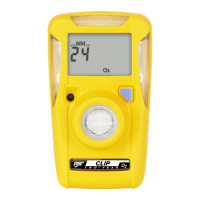
GasAlertMicroClip
1, 2, 3, and 4 Gas Detectors
H
2
S, CO, O
2
, Combustibles

Questions and Answers

  • Q
    qturnerAug 17, 2025
    How to fix BW Technologies Other that does not accurately measure gas?
    • W
      William OsborneAug 17, 2025
      If your detector isn't accurately measuring gas, there could be a few reasons. First, the detector might need calibration. Also, if the detector's temperature differs significantly from the ambient gas temperature, allow it to adjust before use. Finally, check if the sensor filter is blocked and clean it if necessary.
  • M
    Michael CraigAug 19, 2025
    Why does my BW Technologies GasAlertMicroClip intermittently enter alarm?
    • C
      Charles DiazAug 20, 2025
      Your detector might be alarming intermittently for several reasons. It's possible that ambient gas levels are close to the alarm setpoint, or the sensor is picking up brief exposures to the target gas. Ensure your alarm setpoints are properly configured. The detector may also require calibration, or there could be a missing or faulty sensor.
  • A
    Andrew PatelAug 22, 2025
    What to do if BW Technologies GasAlertMicroClip Other enters alarm mode immediately?
    • T
      Timothy MorrisonAug 23, 2025
      If your detector goes into alarm mode right after you turn it on, it might be due to a few reasons. If the sensor is used, allow 60 seconds for it to stabilize. Also, check if the battery is low and needs charging. Another possibility is that the detector requires calibration.
  • S
    Steven MorrisonAug 26, 2025
    Why does the pushbutton not respond on my BW Technologies GasAlertMicroClip?
    • B
      Bradley HoldenAug 26, 2025
      If the pushbutton on your detector isn't working, the battery might be depleted and needs charging. Alternatively, the detector could be in the middle of a process that doesn't need user input. The pushbutton should work again once that process is done.
  • A
    Angela AshleyAug 28, 2025
    How to fix BW Technologies GasAlertMicroClip that does not activate?
    • D
      Danielle Cook MDAug 28, 2025
      If your detector isn't turning on, the battery may be depleted. Charge the battery. If that doesn't solve the issue, the detector might be damaged or defective.
  • L
    laurenhayesAug 30, 2025
    What to do if BW Technologies GasAlertMicroClip Other does not enter alarm?
    • R
      Robert RichardsonAug 31, 2025
      If your detector isn't going into alarm when it should, check if the alarm setpoints are set incorrectly or set to zero. Also, verify that the detector is not in calibration mode.
  • Z
    zacharyjohnstonSep 2, 2025
    Why BW Technologies Other does not display normal gas reading after activation?
    • M
      Melvin GarciaSep 2, 2025
      If your detector isn't showing a normal ambient gas reading after the self-test, the sensor may need time to stabilize, especially if it's a used sensor, give it 60 seconds. It could also mean the detector needs calibration. Another reason might be that the target gas is actually present, meaning the detector is working as it should, so proceed with caution.
  • S
    sampsonamySep 5, 2025
    What to do if the activation self-test fails on BW Technologies Other?
    • J
      Jessica NguyenSep 5, 2025
      If the activation self-test fails, it may be due to a general fault or a sensor failure. In the case of sensor failure, replace the sensor.
  • P
    paul28Sep 7, 2025
    Why does my BW Technologies GasAlertMicroClip automatically deactivate?
    • M
      Miss Elizabeth Austin MDSep 7, 2025
      If your detector is automatically turning off, it's likely because the automatic shutdown feature has been activated due to a weak battery. Charge the detector.
  • B
    Bridget BennettSep 12, 2025
    Why battery indicator does not display when charging BW Technologies GasAlertMicroClip Other?
    • C
      Clayton WeberSep 12, 2025
      If the battery indicator isn't showing while charging, the detector's battery might be very low. Charge it for about 8 hours; the LEDs might light up in the first 5 hours, which is normal.

Summary

Introduction and Safety

Contact BW Technologies

Provides contact information for technical support, sales, and general inquiries.

Essential Safety Precautions

Covers critical safety warnings and usage guidelines to prevent hazards.

Understanding Detector Symbols

Explains the meaning of various international symbols found on the detector and in the manual.

Getting Started with GasAlertMicroClip

Detector Components Overview

Identifies physical parts of the detector as shown in Figure 1 and Table 3.

Display Elements Explained

Details the various indicators and readouts on the detector's LCD screen (Figure 2, Table 4).

Pushbutton Operation Guide

Explains the functions of the detector's pushbutton for various operations (Table 5).

Activating and Operating the Detector

Detector Activation and Self-Test

Guides on turning the detector on, performing self-tests, and battery checks.

Sensor and Power Testing

Describes the sensor testing process and display of alarm setpoints.

Initial Calibration and Bump Testing

Covers automatic zero/O2 calibration, calibration due dates, and bump test procedures.

Detector Options Overview

Introduces the various configurable options available for the detector.

Detector Deactivation

Explains how to properly turn off the detector.

Detector Options and Configuration

Configurable Detector Settings

Guides on setting up startup messages, sensor configurations, and language preferences.

Alarm and Exposure Settings

Details on adjusting alarm setpoints, intervals, and viewing gas exposure data.

Advanced Operational Modes

Explains features like confidence beep, latching alarms, and stealth modes for customized operation.

Alarms and Gas Exposures

Alarm Types and Indicators

Explains the different alarm conditions and their visual/audible signals (Table 6).

Computed Gas Exposures

Defines TWA, STEL, and Maximum (peak) gas exposure measurements (Table 7).

Alarm Setpoint Management

Details alarm setpoints and how to reset them, including factory settings.

Calibration Procedures

Calibration Guidelines and Preparation

Provides essential guidelines, recommended gas mixtures, and preparation steps for calibration.

Performing Detector Calibration

Step-by-step instructions for auto-zero and auto-span calibration processes.

Calibration Verification and Due Dates

How to verify calibration accuracy and manage calibration due date reminders.

Maintenance and Troubleshooting

Routine Maintenance Tasks

Covers basic maintenance like cleaning, charging, and logging events.

Replacing Sensors and Filters

Detailed instructions for safely replacing detector sensors and filters.

Troubleshooting Common Problems

Offers solutions for various detector malfunctions and error messages (Table 12).

Parts, Specifications, and Datalogger

Replacement Parts and Accessories

Lists available parts and accessories for ordering and replacement (Table 13).

Detector and Datalogger Specifications

Technical specifications including dimensions, weight, operating conditions, and datalogger details.

BW Technologies GasAlertMicroClip Series Specifications

General IconGeneral
BrandBW Technologies
ModelGasAlertMicroClip Series
CategoryOther
LanguageEnglish

Related product manuals