8
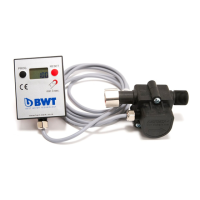
Display (fig. 1 and fig. 2)
a. “PROG” button
b. Indicator
c. “RESET” button
d. Covering
e. Cable, 1.5 m
f. Screw
g. Housing
h. Button cell 3VDC,
type CR2032
1. Aquameter Delivery Scope
2. Technical Data
3. Explanation of Display Symbols and Significance
l. “PROG” button: – for adjusting settings
– for exiting the Programme mode
m. “RESET” button: – for resetting the filter capacity
after every bestmax filter cartridge replacement
– for adjusting settings
n. BATT: Battery change indicator
o. OF: OverFlow indicator
Appears when the value of -99999 has been exceeded.
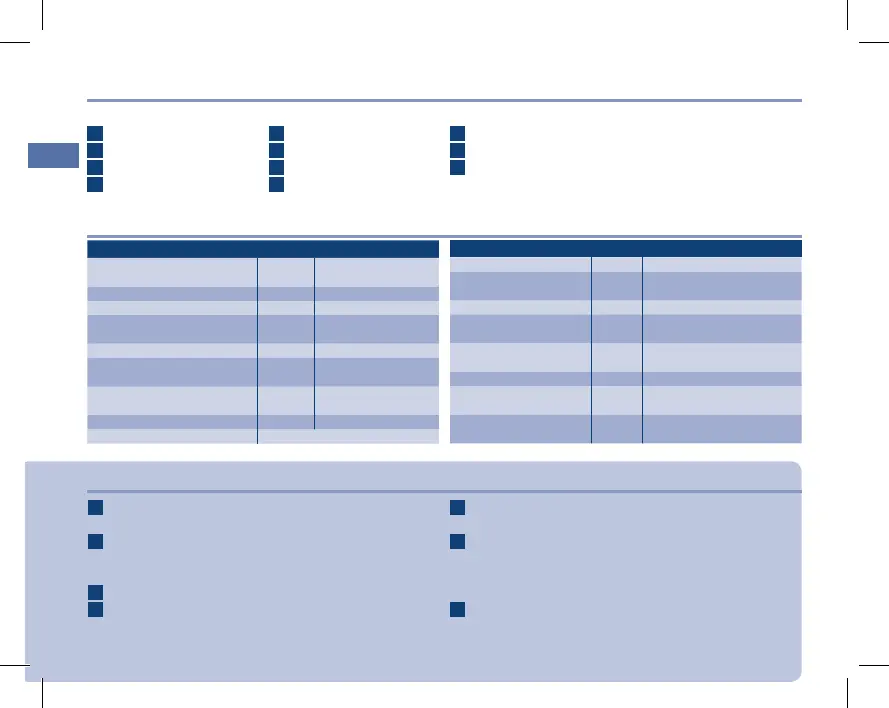
Sensor Unit Technical Data:
Connection thread
(IN/OUT)
[inches]
3/8" nut × 3/8" con-
nection thread
Intake pressure (min/max) [bar] 2–8 bar
Flow capacity [l/h] 10–100
Pressure loss
(up to 100 l/h flow rate)
[bar] 0.2
Flow rate deviations [%] +/- 5
Water temperature
(min/max)
[°C] +4 to +40
Ambient temperature
(min/max)
[°C] +4 to +30
Dimensions (L×W×H) [mm]
77 × 43 × 46
Installation position Horizontal recommended
Sensor unit (fig. 3)
i. Plastic housing with C\," nut and C\," external thread
j. Gasket (no illustration)
k. Sensor
Note: Remove the hygiene protection on the inlet side
and outlet side prior to installation.
External Display Technical Data:
Splash water-proof: IP X4
Static memory:
5 most recent
null positions
Indicator: 5 digits
Counter: [l/min]
Downwards from
99999 to -9999
Installation position
Horizontal
recommended
Dimensions (L×W×H) [mm]
62 × 50 × 17
Cable:
1.5 metres,
PVC 2 × 0.25 mm²
Aquameter order
number
FS00Y03A00
p. PRG: Appears when the water+more Aquameter
is programmed
q. 12345: Memory information
It is possible to access the 5 most recent measure-
ments.The capacity in litres [L] and the time period [t]
are displayed for each case.
r. 5-digit indicator
EBA Aquameter 5.indd 8 09.02.2011 13:36:10


 To Next Page
 Loading...