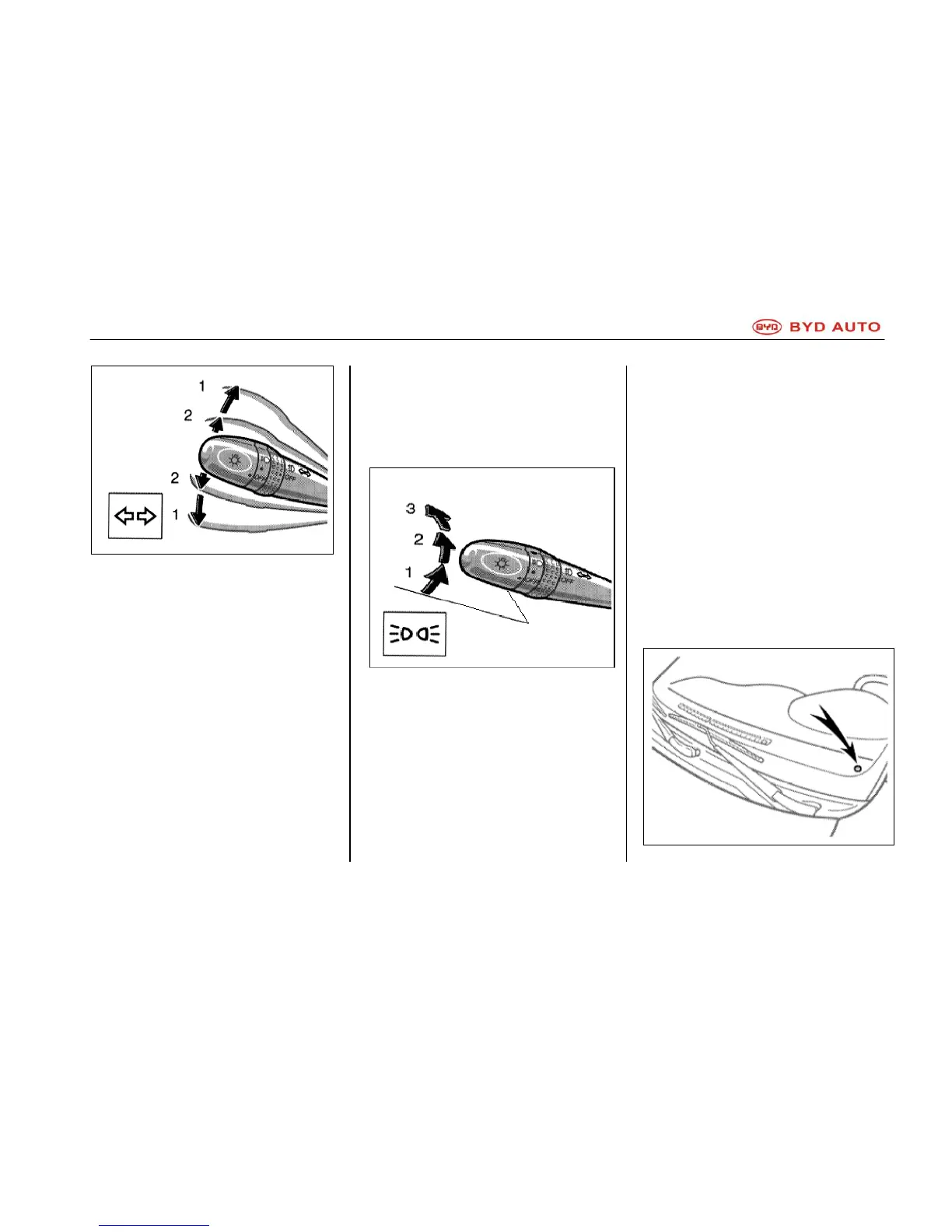
Turn Signal Lights
To give out turn signal, push the
light handle forward/backward to
position 1.
The ignition switch shall be on ―ON‖.
After the vehicle has finished turning,
the handle will reset to its original
position automatically; but in lane
changes, you must reset it manually.
To give out lane change signal, push
the handle upwards/downwards to
position 2 and hold there.
If the green turn signal indicator on
the combination instrument flashes at
a higher speed than normal, it means
front or rear turn signal bulb is burnt
out.
Headlight
Turn on the following lights: rotate
light adjustment knob.
Position 1 – width-indicator lights,
number plate light and combination
instrument background light, etc.
The green indicator on the
combination instrument indicates that
the width-indicator lights are turned
on.
Position 2 – headlight and all above
mentioned lights.
Position 3 (―Auto‖) – headlight and/or
all light (same with position 2)
These lights will turn on/off according
to environment brightness
automatically.
If you need to turn on lights when
entering dark places, such as tunnel,
garage, rotate the light adjustment
knob to position 2 to turn on headlight.



 To Next Page