EasyManua.ls Logo

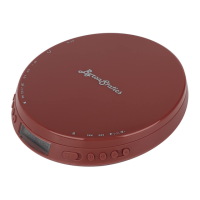
ByronStatics PCD-220 - User Manual

Default Icon
2 pages
Print Icon
To Next Page IconTo Next Page
Loading...
[ USER GUIDE
Portable Compact CD Player

PCD-220

  
 


 




 






 


 





 




 


 
 


- 1 -
8
9
10
Question and Answer IconNeed help?

Do you have a question about the ByronStatics PCD-220 and is the answer not in the manual?

Summary

Features and Controls

CD Door

Controls access to the CD compartment.

Play;Pause

Press to play or pause a loaded CD.

Stop;Off

Press to stop CD play or power off the player.

Mode Selection

Press to repeat tracks, play in random, or intro mode.

Open CD Door

Press to open the CD door.

Skip;Search

Skip tracks or search within a track.

Program Tracks

Program a loaded CD to play tracks in a specified order.

Volume Adjustment

Turn to adjust the volume.

USB Power Input

Port for connecting a USB power supply.

Stereo Earphone Jack

Output jack for headphones.

Personal CD Player Specifications

Features

Key features include CD/CD-R compatibility, anti-skip protection, and LCD display.

Included Accessories

Comes with one set of stereo earbuds.

Setup and Operations

Power Setup

Details on using USB power or battery power supply.

Loading a CD

Instructions on how to open the door and insert a CD.

Playing a CD

Steps to begin playing the loaded CD.

Programming a CD

Guide to program up to 20 tracks for custom playback.

Service and Support

Contact Information

Provides customer service email for support.

Environmental Protection

Recycling information for electronic waste.

ByronStatics PCD-220 Specifications

General IconGeneral
Playable MediaCD, CD-R, CD-RW
Connectivity3.5mm Headphone Jack
Power SourceAC adapter
FeaturesRepeat function
Anti-Skip ProtectionYes