12
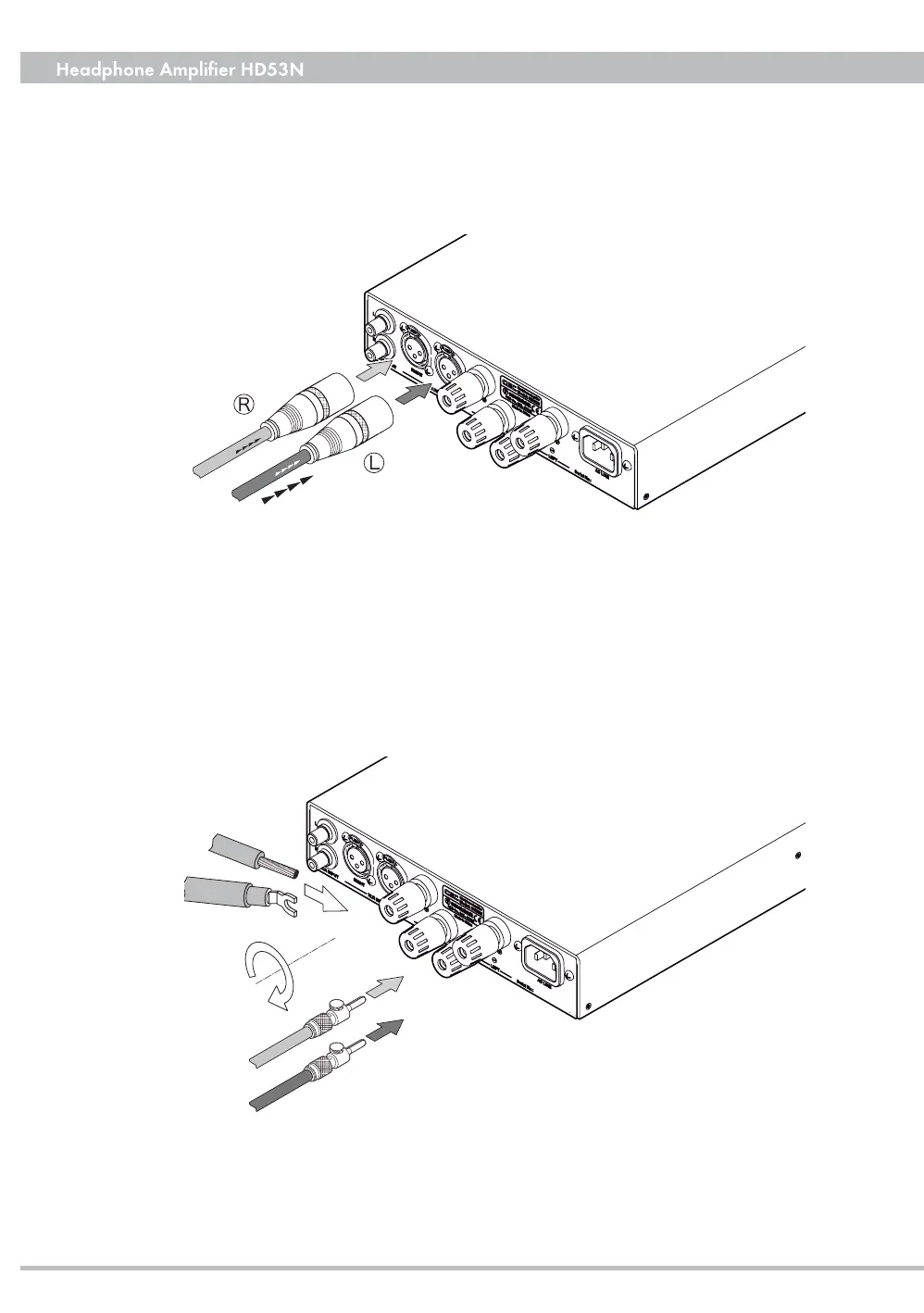
Wires
Spades
Banana Plugs
Connect the interconnect cable
in the correct direction
aligned for the signal path
❸
RIGHT / LEFT SPEAKER output
Power amplifi er output terminals for the right/left speakers. The red terminal
is for (+) the black one is for (-). Speakers with 4 ohm to 8 ohm impedance
can be connected by using banana plugs, spades or wires.
Note: Before connecting or disconnecting speakers turn the HD53N’s power
OFF.
for better sound quality. Pinning: 1=Ground, 2=Hot, 3=Cold.
*Phono and digital sources cannot be connected to the XLR input.
❹
AC LINE
Connect the provided AC power cord to the AC LINE inlet.


 To Next Page