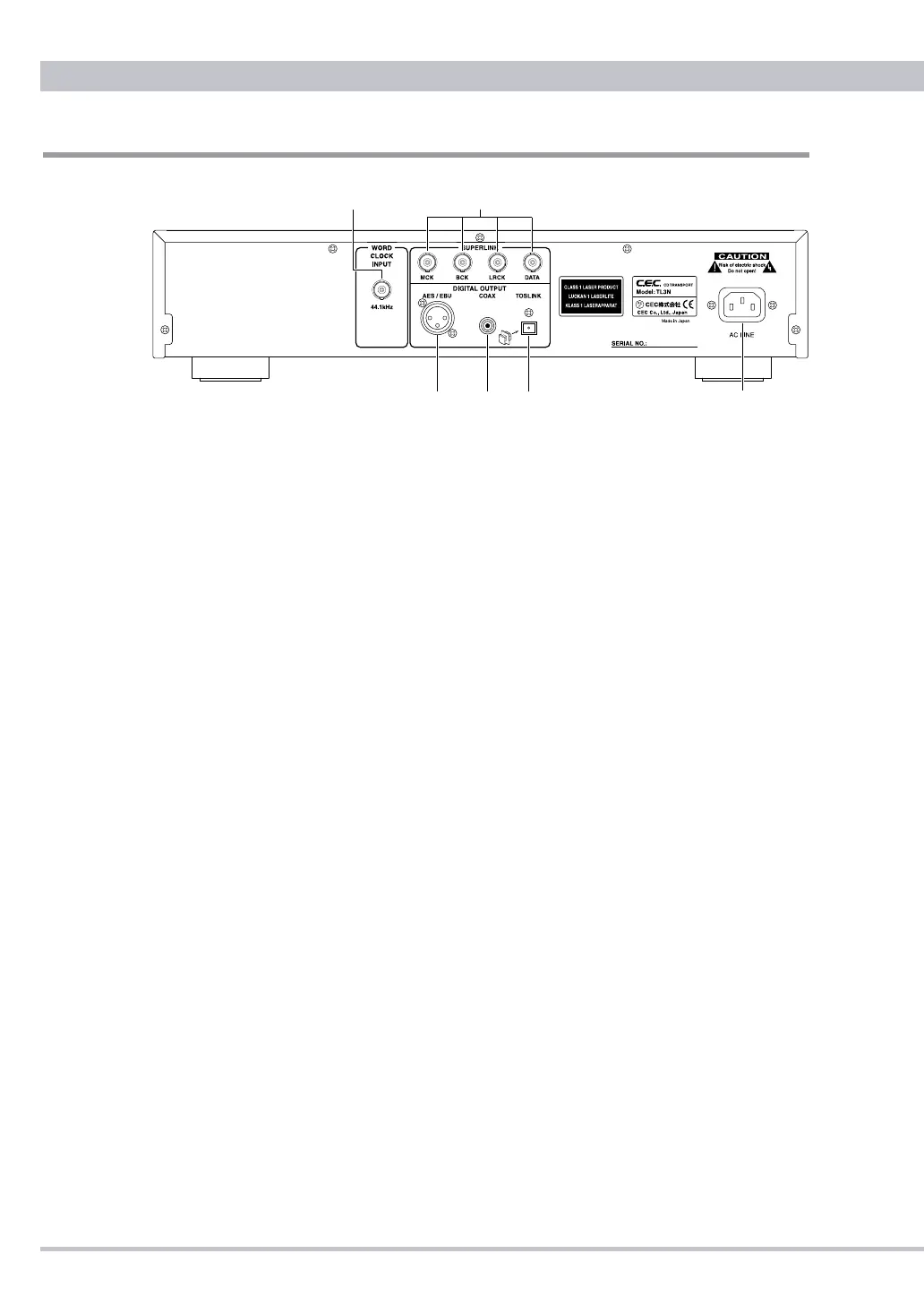
Rear Panel Functions
❶
Word Clock Input
44.1kHz word clock input jack with a BNC type connector. Connect to an
external clock generator using a BNC (75Ω) cable. When TL3N works with
the external clock the blue LED at the right side of the display panel lights up.
❷
SUPERLINK
CEC’s proprietary “SUPERLINK” digital input/output for use with a CEC’s
compatible D/A converter. There are four BNC type terminals named “MCK”,
“BCK”, “LRCK” and “DATA”. Four BNC (75Ω) cables are required.
SUPERLINK works with the rst priority even when an external word clock
signal is coming in.
❸
AES/EBU
Connect to a digital audio device with a AES/EBU(XLR) input by using a XLR
110Ω cable. (Pinning: 1=GND, 2=Hot, 3=Cold)
❹
COAXIAL
Standard digital (SPDIF) signal output jack with a RCA type connector.
Connect to a digital audio device with a coaxial RCA input by using a RCA (75
Ω) cable.
❺
TOS LINK (Optical)
Connect to a digital audio device with a TOS LINK Optical Digital input by
using an optical cable.
When any optical cable is not connected the cap should be returned to the
TOS LINK terminal.
❻
AC LINE
Connect the supplied AC power cord to the AC LINE inlet.



 To Next Page