TL3N User's Manual
17
❹
CHECK Button
Press this button to check the order of the tracks in your current programmed
setting. *Refer to “PROGRAMMED PLAYBACK” on page 18 for details.
❺
CLEAR Button
Press this button to clear your current programmed setting. *Refer to
“PROGRAMMED PLAYBACK” on page 18 for details.
❻
Track Skip Backward / Track Skip Forward Buttons
Jump to the previous or next track from the track being played (or displayed).
❼
PLAY/PAUSE / Button
Press this button to start playback or to pause playback temporarily.
❽
Search Backward / Search Forward Buttons
Press and hold these buttons to quickly search through the track being
played. searches through the track backwards, searches forwards.
NOTE: There are no Search buttons on the front panel of the TL3N.
❾
Stop Button
Press this button to stop playback.
❿
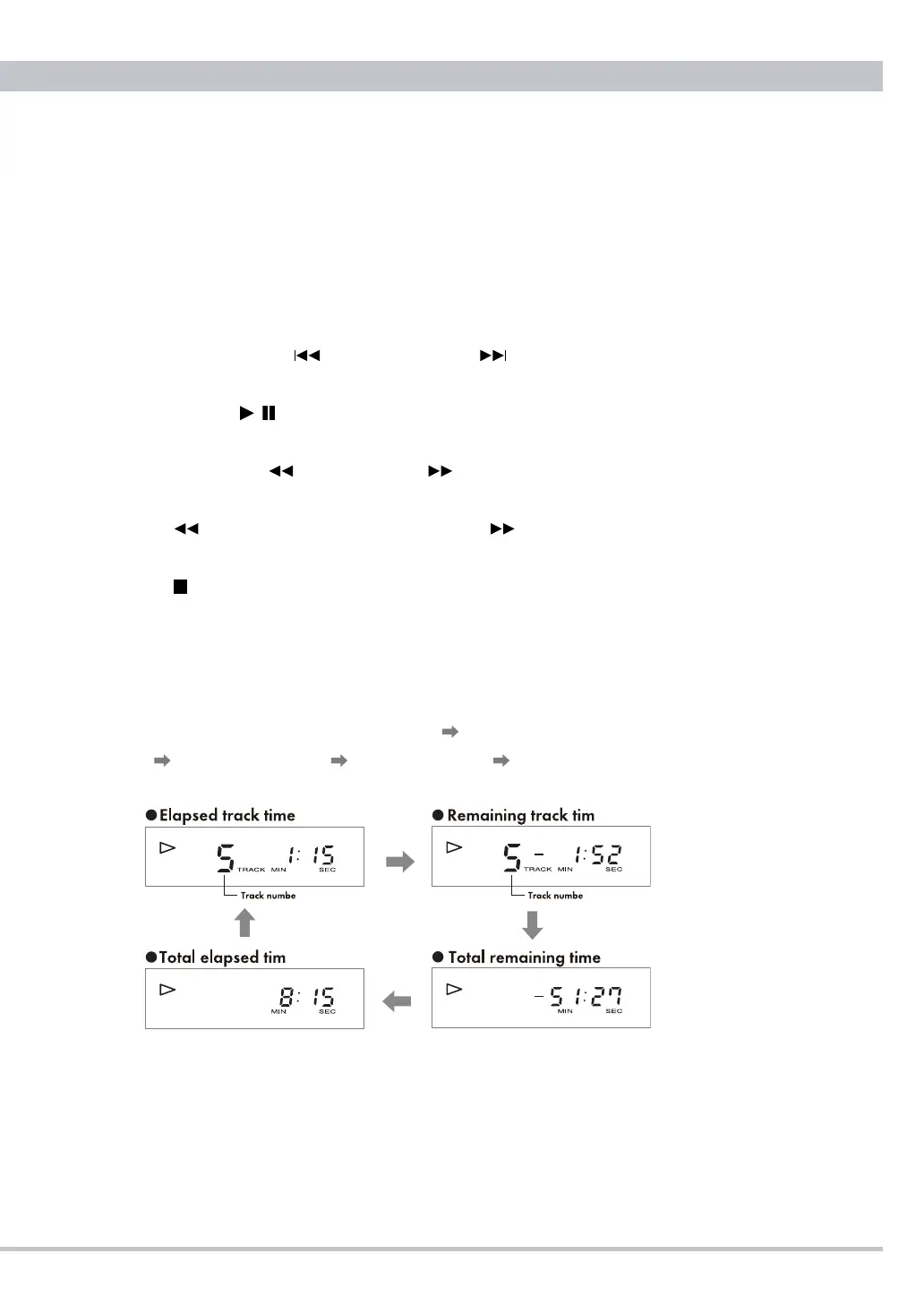
DISP (Display) Button
Press this button to cycle the TL3N’s display through its various modes. Each
press of the DISP button cycles the display in the following order: track
number/elapsed track time (default display) track number/remaining track
time total remaining time total elapsed time back to track number/
elapsed track time (default display).
NOTE: Total remaining time and total elapsed time will not be displayed
when program mode and/or repeat mode are active.
●
Precautions on Using the Remote Control Unit
❶
When operating the remote control, point it towards the remote sensor on
the TL3N’s front panel. Make sure nothing is blocking the front panel where
the remote sensor is located.



 To Next Page