17
Step 5: Connection through AP Mode
If your router doesn´t support it, your wi signal is weak or you cannot connect by the normal mode,
press “AP Mode” on the upper right corner of the screen.
Press “Con rm indicator rapidly blink”.
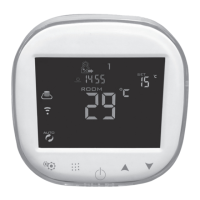
Under the turn on state of the thermostat, press the keys
and at the same time until the
icon blinks and press “Connect now”.
After a few seconds, the thermostat will be added.
Finally, select the Wi-Fi signal SmartLife-XXXX and return to the previous screen. The app will
connect automatically.
Step 6: APP operation. How to create a Group
In the central part of the screen, there is a gure to manual adjustment of the setting temperature.
Under the automatic mode, if you adjust the temperature, the thermostat enables the temporary
manual mode until the next automatic period.
Other options available in this screen are indicated below:
• Swicth: Power on /off.
• Mode: Selection of the operating mode: manual, automatic or holidays.
• Lock: Lock or unlock of the screen.
• Temperature setting: Access to the advanced options. One of those options is the possibility to set
the temperature and initial time for the six periods of the working days and weekend.
On the upper right corner, the icon for the device Info is displayed. In that page, you could perform the
next operations:
• Modify name and location of the device.
• Share the thermostat with other registered members.
• Create a Group. All the devices you want to operate at the same time could be added.
• Check the device information, such as virtual ID, IP address, Mac address or device time zone.
• Check if there is new application upgrades.
• Delete the thermostat.


 To Next Page
 Loading...