EN
3
pen. Scanning start and stop points are aligned with the
edge of the transparent window. When the Scan Trigger
gets in touch with the paper, the scan light lits up. Start
moving the pen straight along the text line at a steady
pace.
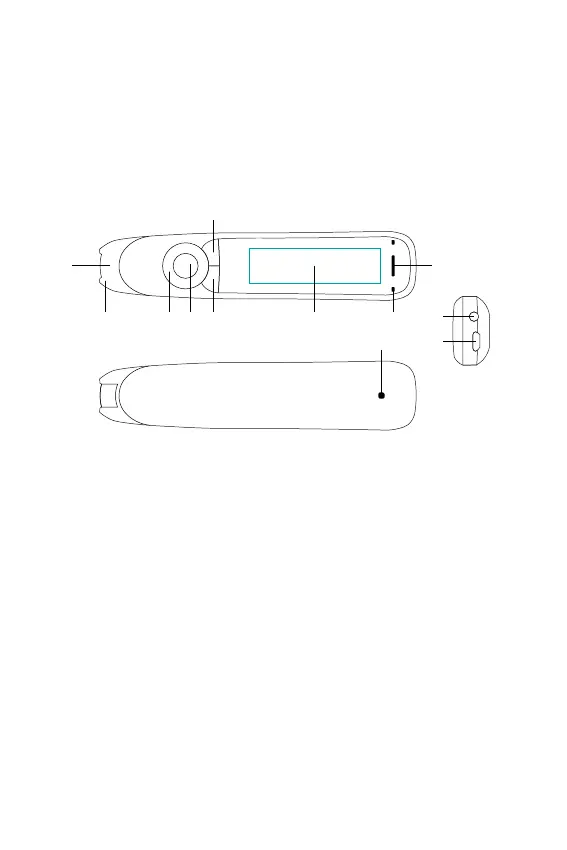
Buttons and connectors
1. Power On/Off & Back button: Press 3 seconds to
power device on or off. Press briefly to use as cancel
function in the user interface
2. OK button: When a dialog box or options list pops
up, press this button to confirm the operation. The OK
button is also used to trigger reading text out loud in
Reader mode.
3. 4-way Nav button: Press buttons to move focus up,
down, left, right.
4. Scan Trigger: Is automatically activated when the pen
is in contact with the paper. It triggers scanning and
turns on scan light.
5. Screen: The device’s display screen.
6. Mic: Used to record voice memo.
7. Speaker: Used when text is read out loud. Muted
1234 5 6
79
12
10
11



 To Next Page