3
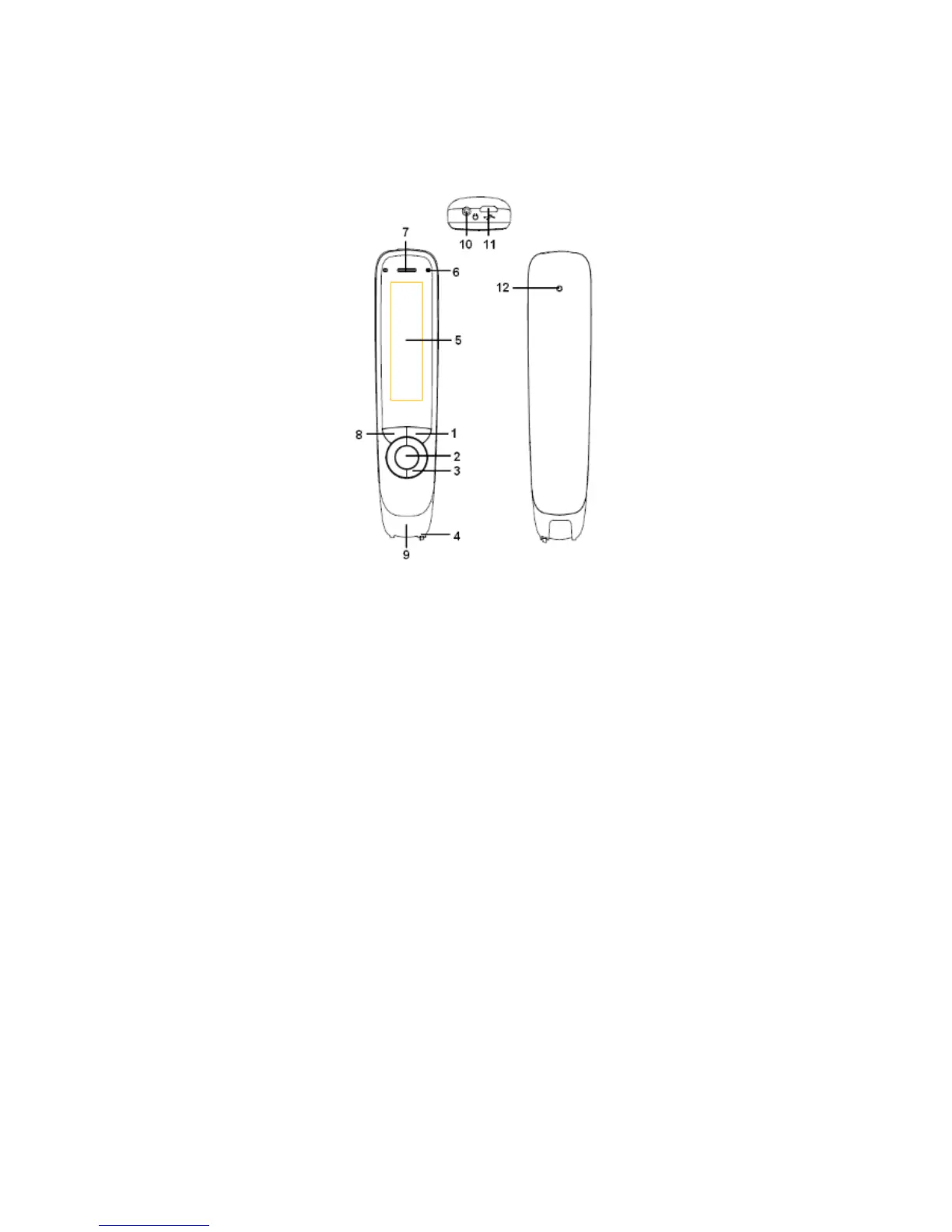
BUTTONS AND CONNECTORS
1. Power On/Off & Back button: Press 3 seconds to power
device on or off. Press briefly to use as cancel function in
the user interface
2. OK button: When a dialog box or options list pops up,
press this button to confirm the operation.
3. Up/Down/Left/Right: Press buttons to move focus or
cursor.
4. Scan Trigger: When scanning, the Scan Trigger is
automatically pressed to activate scanning.
5. Screen: The device’s display screen.
6. Speaker: Used to read text out loud. Muted when


 To Next Page