EasyManua.ls Logo

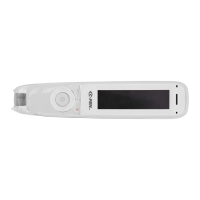
C-Pen Reader Pen - User Manual

C-Pen Reader Pen
31 pages
Print Icon
To Next Page IconTo Next Page
Loading...
1
C-PEN READERPEN
Quick Start Guide
English – Français – Español
This guide is a brief to get started only. For more detailed
information, check out our website.
Ce guide vise à vous présenter un résumé qui facilitera votre
première utilisation. Pour des informations plus détaillées,
consultez notre site Web.
Este documento es una guía breve para comenzar a utilizar el
dispositivo. Si quiere obtener información más detallada,
consulte nuestro sitio web.
cpen.com/product/reader-pen
Question and Answer IconNeed help?

Do you have a question about the C-Pen Reader Pen and is the answer not in the manual?

Summary

Buttons and Connectors

Power On;Off & Back Button

Controls device power and acts as a back function in the interface.

Scan Trigger

Activates the scanning function automatically when scanning text.

Micro USB Connector

Used for charging the device and connecting to computers.

Get Started

Powering On the Device

Instructions on how to turn on the ReaderPen, requiring a three-second press of the power button.

Text Reader Function

Dictionary Mode

Scan to File

Recorder Function

USB Connection and Charging

USB Connection Modes

Explains device connection modes: charging, U-drive, and keyboard emulation.

Battery Indicator and Charging

Shows battery status and how to charge the device via USB.

Safety Precautions for Battery Usage

Battery Maintenance and Precautions

C-Pen Reader Pen Specifications

General IconGeneral
Text-to-SpeechYes
DisplayOLED
ConnectivityUSB
Weight50g
Headphone JackYes
Data TransferUSB
Languages SupportedEnglish, Spanish, French, German, Italian
Battery TypeRechargeable Lithium
TypeDigital scanning pen
FunctionalityText-to-speech
CompatibilityWindows, Mac