EN
4
Content of box
• ReaderPen Secure, carry case, USB cable,
earphones, this guide, battery maintenance
leaet.
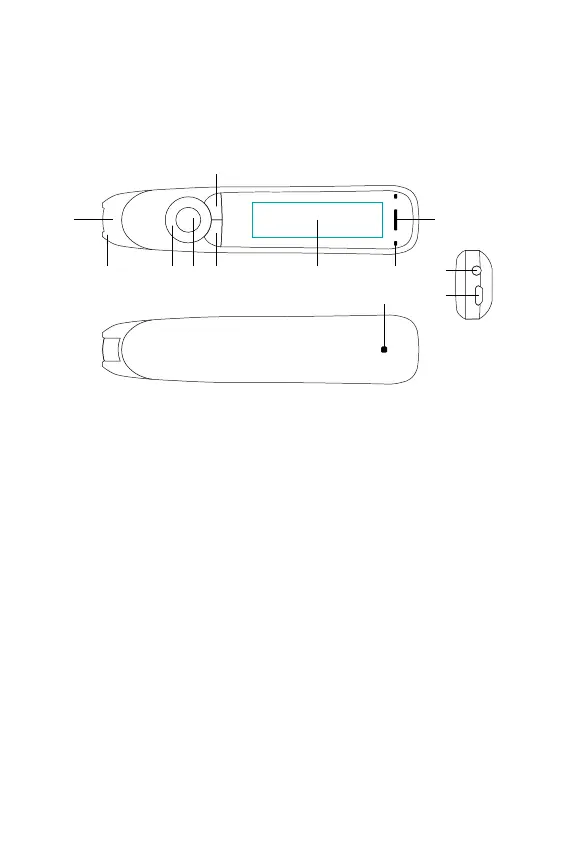
Buttons and connectors
1. Power On/Off & Back button: Press 3
seconds to power device on or off. Press
briey to use as cancel function in the user
interface
2. OK button: When a dialog box or options
list pops up, press this button to conrm
the operation. The OK button is also used to
trigger reading text out loud in Text Reader
mode.
3. 4-way Nav button: Press buttons to move
focus up, down, left, right.
4. Scan Trigger: Is automatically activated
when the pen is in contact with the paper. It
triggers scanning and turns on scan light.
1234 5 6
7
12
10
11



 To Next Page