33
DLNA (WLAN) WIRELESS CONNECTION TO THE WIFI NETWORK
THERE ARE 2 SOLUTIONS TO CONNECT
STREAM AMP TO THE WIFI NETWORK:
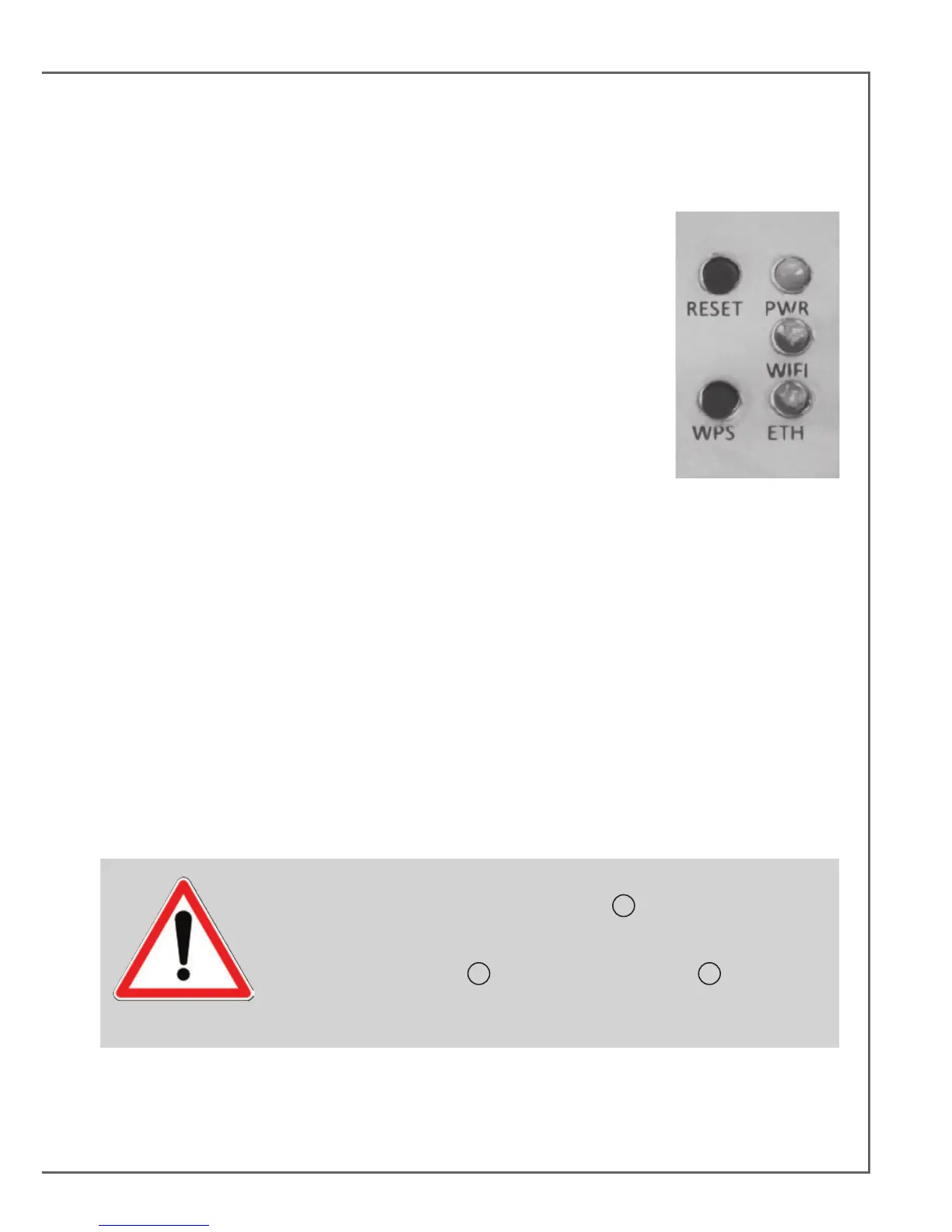
1) WPS CONNECTION: push the WPS button of the wireless router for
2 seconds or more and push the WPS button of the STREAM AMP within
around 2 minutes (check for precise delays in the router's manual). The
connection is completed when the blue LED "WIFI CONFIGURATION" is
on. Now go to page 41 to install the Cabasse application.
2) EASY WI-FI CONNECTION WITH THE CABASSE STREAM APP
& with a smartphone or tablet wi- connected to the domestic network.
a) Install the Cabasse Stream App on an Android or Mac tablet or
smartphone from “Play Store” or “App Store”.
b) Switch the STREAM AMP on or press the reset button if already on. Activate the Wi-Fi in the
“settings” application mode of the smartphone or tablet.
c) Select STREAM AMP among the available items and launch the connection.
d) Launch the Cabasse Stream app. Once connected to STREAM AMP, select STREAM AMP in the
available wi networks list and follow the set-up instructions.
Note: from phase b), you may open the Cabasse application and follow the instructions of the online
guide, which is launched automatically when connecting for the rst time.
e) The Wi blue LED on the back of STREAM AMP ashes for around 30 seconds.
f) The Wi blue LED stops ashing and remains on: press on “Close This Window”. STREAM AMP is
now ready to play all the shared audio les in your network as well as all the web radios proposed by
vTuner.
CAUTION! An automatic update of the rmware might start as soon as
STREAM AMP is connected to the Web. The
9
LED turn to white and
ashes for 5 to 15 minutes until the update is fully completed.
Do not try to use STREAM AMP during the update, wait until STREAM
AMP has restarted, when
9
LED is steady red. Press
1
to turn the
STREAM AMP on and carry on.
Do not shut down or unplug STREAM AMP during updates.


 To Next Page