32
LAN WIRE CONNECTION TO THE ETHERNET NETWORK
The LAN wire connection ensures a constant and optimum transfer rate. Use it if music reproduction
stops or is erratic under Wi-Fi mode, because of a saturated Wi-Fi bandwidth or the distance between
the router and the Stream unit being too long.
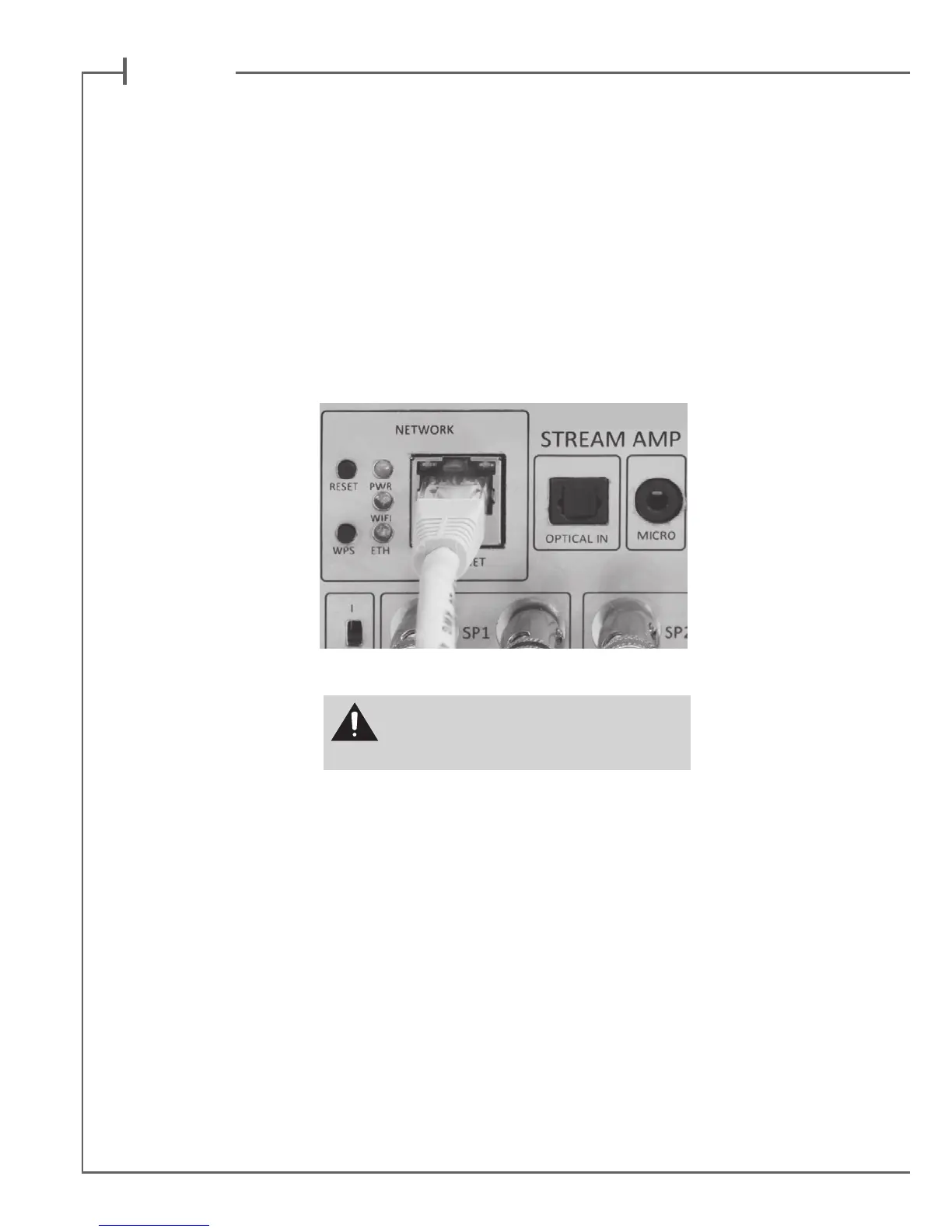
Use a RJ45 type cable to connect STREAM AMP to the domestic router.
The connection is running when the blue LED “ETH” stops ashing and remains on.
ATTENTION: set up the router on DHCP mode.
Press "RESET" before starting a new
connection process (wired, auto, easy,
manual) or connecting to a new router.
WIFI DIRECT MODE
Wi-Fi direct allows to play with wi quality all the audio tracks available in the tablet or the smartphone
as well as those availble in the hard-disk or USB-stick connect to the USB input of STREAM AMP,
without need of a wi network. Internet sources such as Vtuner, Deezer and the STREAM AMP rmware
updates are not available.
Activate the STREAM AMP, Install and open the Cabasse app on your tablet/smartphone and select
"Use this device in standalone mode" instead of "congure this audio device". Follow the instructions
and start playing your music.


 To Next Page