30
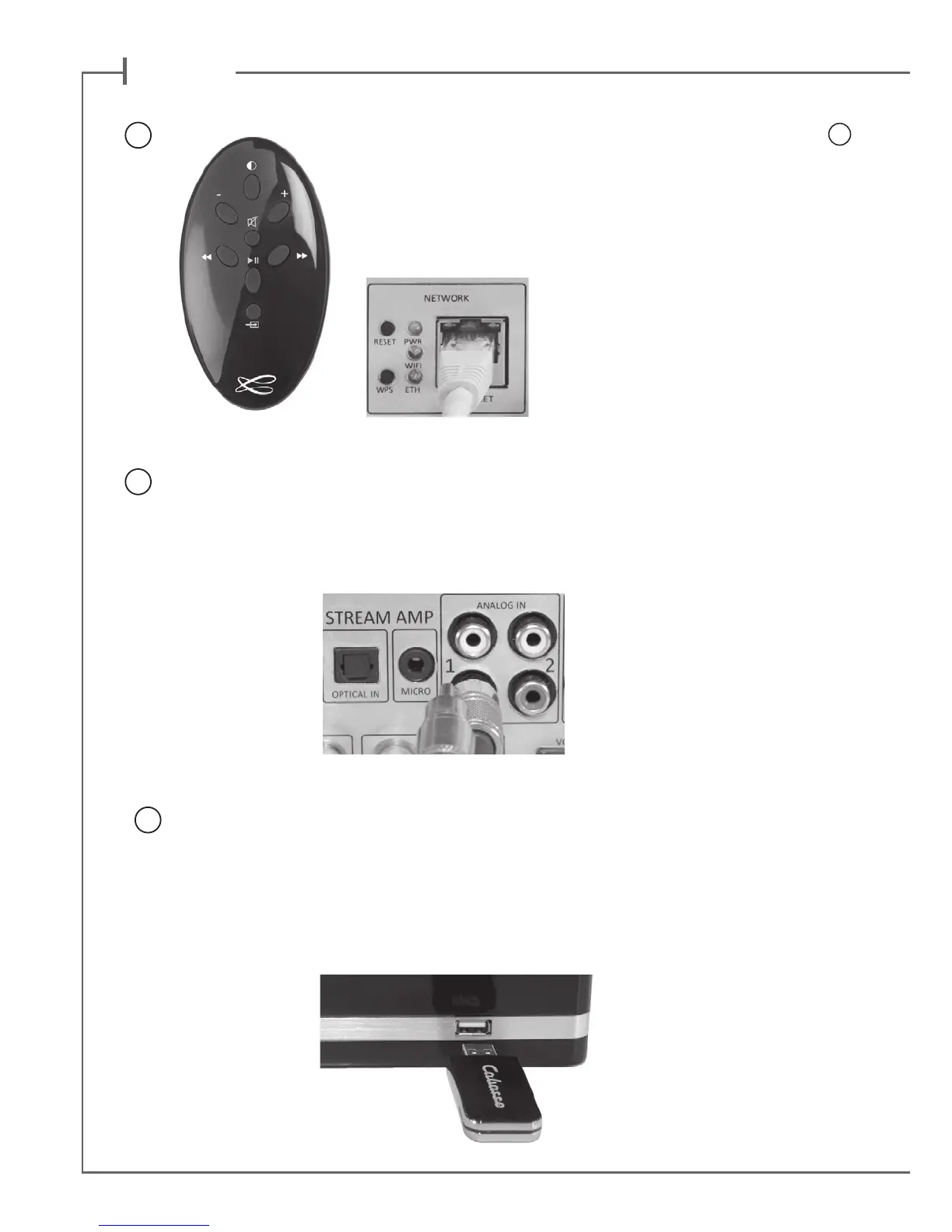
ANALOG INPUTS 1 AND 2
Select an audio source tted with an analogue output, either RCA or mini-jack type.
Get a RCA/mini-jack if the source is tted with a mini-jack output.
USB INPUT
Plug in an USB stick or a hard-drive to this input to get all the stored audio les available on
the domestic network. All the audio les, under formats compatible with the built-in DLNA
server of STREAM AMP, will be listed in the Stream Audio Control apps and can be played
by any Cabasse Stream player connected to the same domestic network. The USB input is
tted with a 1 ampere power output enabling the use of a portable hard drive with no need
of an external power supply.
5
6
7
Once the Bluetooth and Wi-Fi connections activated, press the
8
key of the remote control or on the front panel until you get the
requested source, with the appropriate LED on the panel being
on. The Wi LED stands for the Wi/WLAN source, the ETH LED
stands for the Ethernet/LAN source.


 To Next Page