39
Connect the STREAM AMP to mains to power
it on. If STREAM AMP is already on, stop
any running Bluetooth connection between
STREAM AMP and any other item.
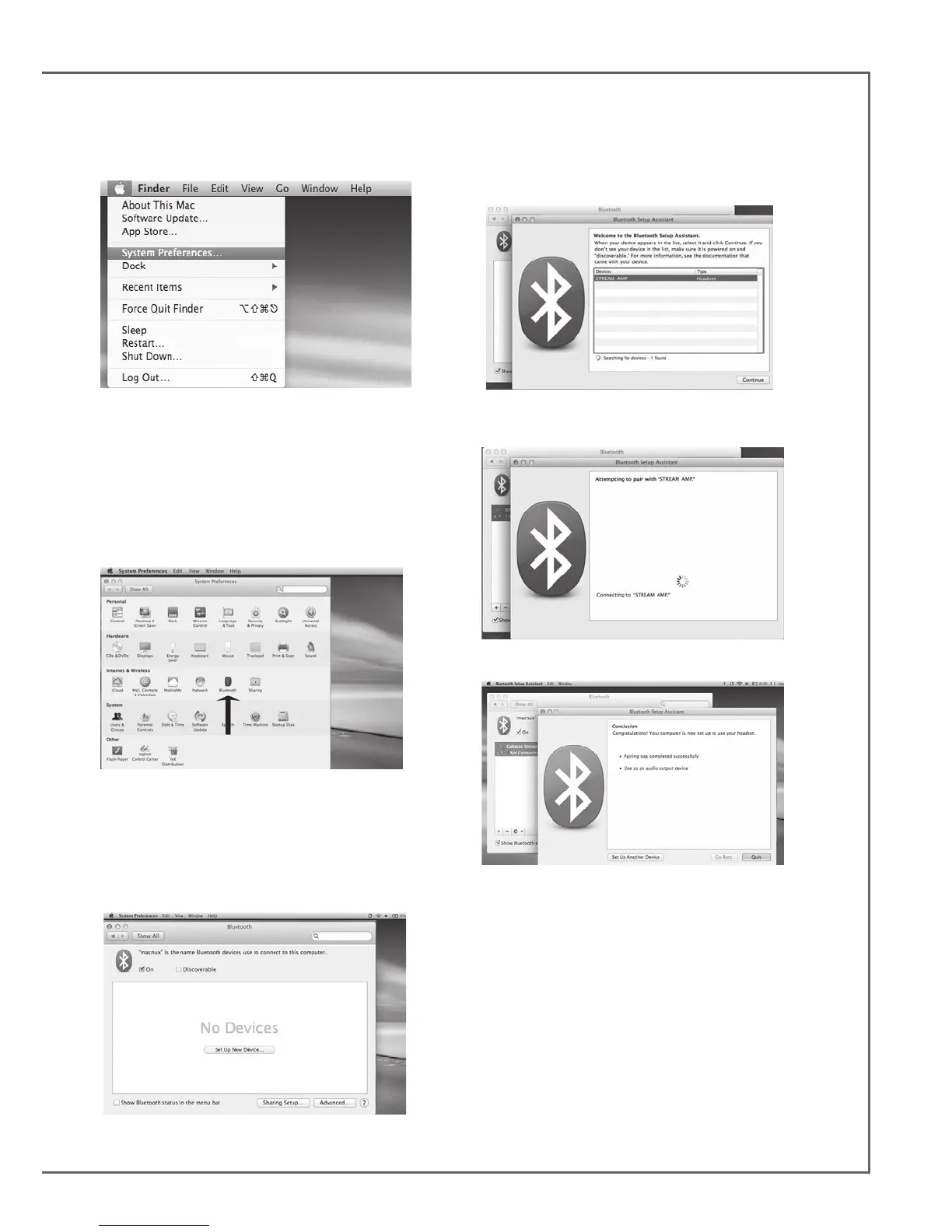
Activate the Bluetooth function of the compu-
ter: open the « apple » menu and select « Sys-
tems Preferences ».
Select « Bluetooth » in the window for the
« Systems Preferences ».
Select « On » and click on « Set Up New
Device”
Select « STREAM AMP » in the list of items
and click on “Continue”
Connecting…
Connection completed. STREAM AMP is now
paired with your Mac computer.
BLUETOOTH CONNECTION TO AN APPLE COMPUTER
1) BLUETOOTH MODE ACTIVATION


 To Next Page