~
8
~
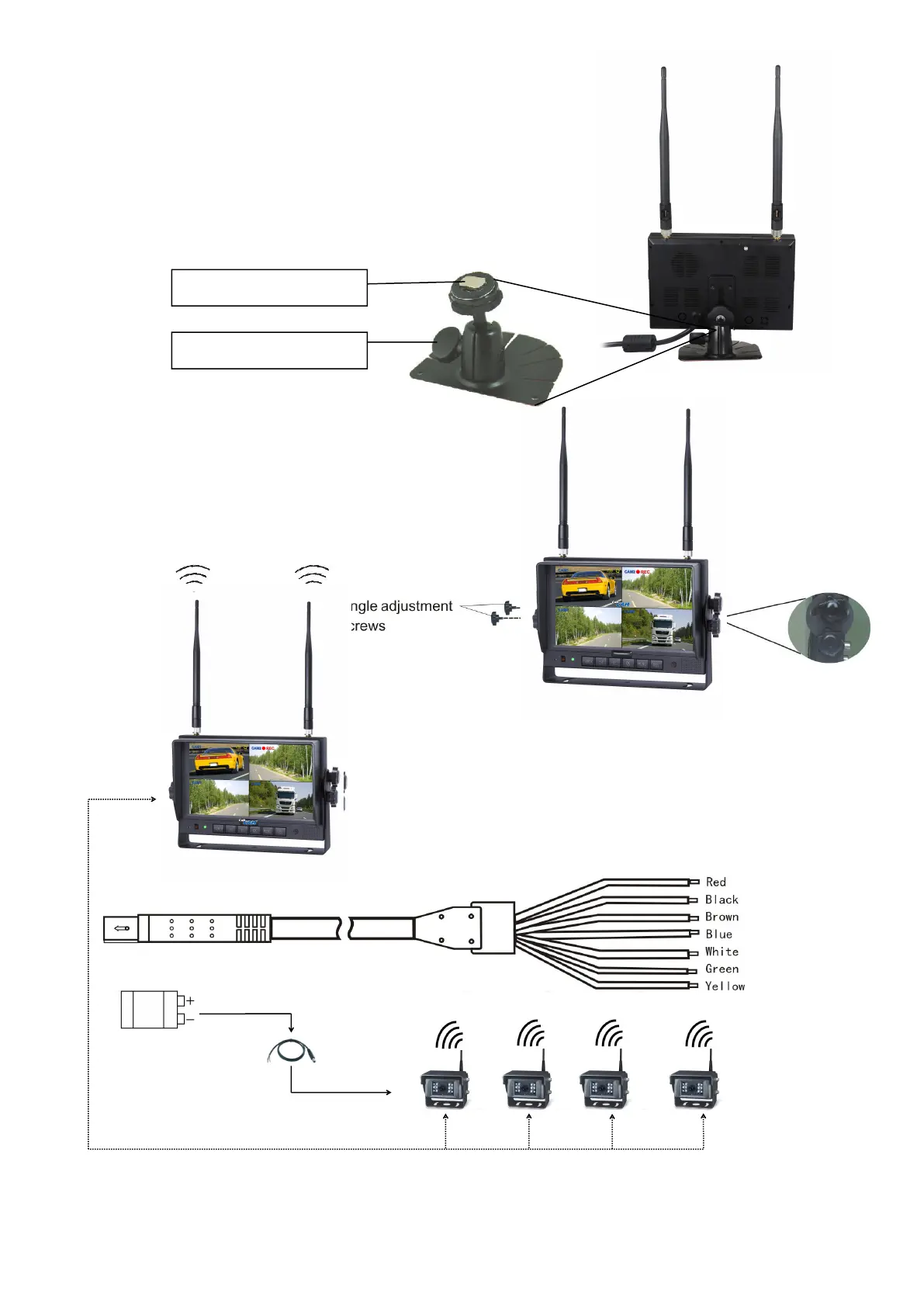
7.1 Installation of Center Mounting Bracket:
① Adjust monitor level by sliding the support to the
② Adjust the angle of the monitor and tighten the
knob on the center mounting bracket.
7.2. Installation of U-support Bracket
Red wire to positive power supply of DC/10-32V.
Brown wire to positive power wire of reversing light.
White wire to positive power wire of left light .
Blue wire to positive power wire of right light .
Green or yellow wire to other positive power wire.


 To Next Page