EasyManua.ls Logo

CAC / BDP KSACN0101CAC - User Manual

CAC / BDP KSACN0101CAC
6 pages
Print Icon
To Next Page IconTo Next Page
Loading...
KSACN0101CAC
KSACN0101AAA
Owner’s Manual
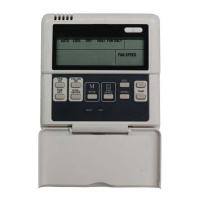
Wired Remote Controller
Ductless Split Systems
SAFETY CONSIDERATIONS
Installing, starting up, and servicing air- conditioning equipment
can be hazardous due to system pressures, electrical components,
and e quipment location (roofs, elevated structures, etc.).
Only trained, qualified installers and service mechanics should
install, start- up, and service this equipment.
Untrained personnel can perform basic maintenance functions
such as cleaning coils. All other operations should be performed
by trained service personnel.
When working on the equipment, observe precautions in the
literature and on tags, stickers, and labels attached to the
equipment.
Follow all safety codes. Wear safety glasses and work gloves.
Keep a quenching cloth and fire extinguisher nearby when
brazing. Use care in handling, rigging, and setting bulky
equipment.
Read these instructions thoroughly and follow all warnings or
cautions included in literature and attached to the unit. Consult
local building codes and National Electrical Code (NEC) for
special requirements. Recognize safety information. This is the
safety- alert symbol
!
!
. When you see this symbol on the unit and
in instructions or manuals, be alert to the potential for personal
injury. Understand these signal words: DANGER, WARNING,
and CAUTION. These words are used with the safety- alert
symbol. DANGER identifies the mo st serious hazards which will
result in severe personal injury or death. WARNING signifies
hazards which could result in personal injury or death. CAUTION
is used to identify unsafe practices which may result in minor
personal injury or product and property damage. NOTE is used to
highlight suggestions which will result in enhanced installation,
reliability, or operation.
ELECTRICAL SHOCK HAZARD
Failure to follow this warning could result in personal injury or
death.
Before beginning any modification or installation of this kit, be
sure the main electrical disconnect is in the OFF position.
Ensure power is disconnected to the fan coil unit. On some
systems both the fan coil and the outdoor unit may be on the
same disconnect. Tag the disconnect switch with a suitable
warning label. There may be more than one disconnect.
!
WARNING
EQUIPMENT DAMAGE HAZARD
Failure to follow this warning may result in equipment
damage.
Do not install wired controller in an area subjected to excessive
steam, oil or sulfide gas. Doing so may cause the controller to
deform and/or fail.
!
CAUTION
Kit Contents: Confirm that all the following parts are included.
No. Description Qty Remarks
1 Wired Remote Controller 1 n/a
2
Installation and owner’s
manual
1 n/a
3 Screws 3
M4X20 (for mount-
ing on the wall)
4 Wall plugs 3 For wall mounting
5 Screws 2
M4X25 (for mount-
ing on the wall)
6 Plastic screw bars 2
For fixing on the
switch box
7 Theconnectivewiresgroup 1 24AWG
Field Supplied Components: Prepare the following on site.
Description
Qty
Type Remarks
Switch Box 1 n/a n/a
Wiring Tube
(insulating sleeve and
tightening screw)
1 n/a n/a
S This manual contains installation procedures for the wire
controller only. Refer to the indoor unit Installation Manual for
connecting the Wire Controller and the Indoor Unit.
S Install the wire joint (5p) to the appointed position of the electric
controlling box.
S The wired controller circuit is a low voltage circuit. Never
connect it with a standard 220V/380V circuit or place it in the
same wiring tube as the circuit. The interval must be more than
11.8- 19.7in. (300~500mm).
S The shield cable must be connected stable to the ground or the
transmission may fail.
S Do not extend the shield cable by cutting. If necessary, use a
Terminal Connection Block to connect.
S After finishing the connection, do not use a Meggar to perform
the installation check to the signal wire.

Other manuals for CAC / BDP KSACN0101CAC

Question and Answer IconNeed help?

Do you have a question about the CAC / BDP KSACN0101CAC and is the answer not in the manual?

Summary

Safety Considerations

Electrical Shock Hazard

Warning about potential personal injury or death from electrical hazards during installation or modification.

Equipment Damage Hazard

Caution against installing the controller in areas with excessive steam, oil, or sulfide gas to prevent damage.

Controller Indicator Names and Functions

Operation Mode Indication

Explains how to select AUTO, COOL, DRY, HEAT, and FAN ONLY modes on the wired remote controller.

Timer ON;OFF Function

Details how to set and display ON and OFF timers for the air conditioning unit.

Follow Me Function

Describes the 'Follow Me' function where the controller uses its own sensor for temperature setting.

ON;OFF Indicator

Explains the display icon indicating when the controller is powered on or off.

Fan Speed Indication

Details the fan speed modes (low, middle, high, auto) indicated on the controller display.

Lock Function

Describes how to use the LOCK button to disable or enable other controller buttons.

Temperature Display Zone

Explains how to view and adjust the set temperature using the controller's display zone.

Installation Method

Wired Controller Buttons Names and Operations

Mode Button Operation

Instructions for using the MODE button to cycle through AUTO, COOL, DRY, HEAT, and FAN modes.

Timer On Button Operation

Details how to activate and set the TIMER ON function, adjusting time in 0.5h increments.

Timer Off Button Operation

Details how to activate and set the TIMER OFF function, adjusting time in 0.5h increments.

Follow Me Button Operation

How to activate or deactivate the 'Follow Me' function using the dedicated button.

Electrical Heater Button Operation

Instructions for using the ELECTRICAL HEATER BUTTON to activate/deactivate the heater function.

Reset Button Operation

How to use the hidden RESET button to cancel current settings and revert to original.

ON;OFF Button Operation

How to turn the unit on or off, and cancel timer settings when powering down.

Adjust Button Operation

How to adjust temperature up or down using the ADJUST buttons on the controller.

Swing Button Operation

How to start or stop the air swing function using the SWING button.

Economy Button Operation

How to operate the indoor unit in ECONOMY mode or exit this mode.

Fan Speed Button Operation

How to cycle through fan speeds (AUTO, LOW, MEDIUM, HIGH) using the FAN SPEED button.

Lock Button Operation

Using Method

Automatic Operation

Steps to operate the unit in AUTO mode, including setting temperature and turning on/off.

Cool, Heat, Fan Mode Operation

How to select and operate COOL, HEAT, or FAN ONLY modes, adjusting temperature and fan speed.

Dry Operation

Steps to operate the unit in DRY mode, including setting temperature; ECONOMY and fan speed are ineffective.

Timer Setting

Timer On Only Setting

Instructions for setting the TIMER ON function, adjusting time in 0.5h increments on the LCD.

Timer Off Only Setting

Instructions for setting the TIMER OFF function, adjusting time in 0.5h increments on the LCD.

Timer On and Off Both Setting

How to set both TIMER ON and TIMER OFF, ensuring TIMER OFF is longer than TIMER ON.

Change Timer Setting

How to modify an existing timer setting or cancel a timer by setting the time to 0.0.

Technical Indication and Requirement

CAC / BDP KSACN0101CAC Specifications

General IconGeneral
CategoryTemperature Controller
ModelBDP KSACN0101CAC
BrandCAC
MountingPanel Mount
Input TypeThermocouple, RTD
Output TypeRelay, SSR
Control MethodPID
DisplayDigital
Power Supply100-240 VAC