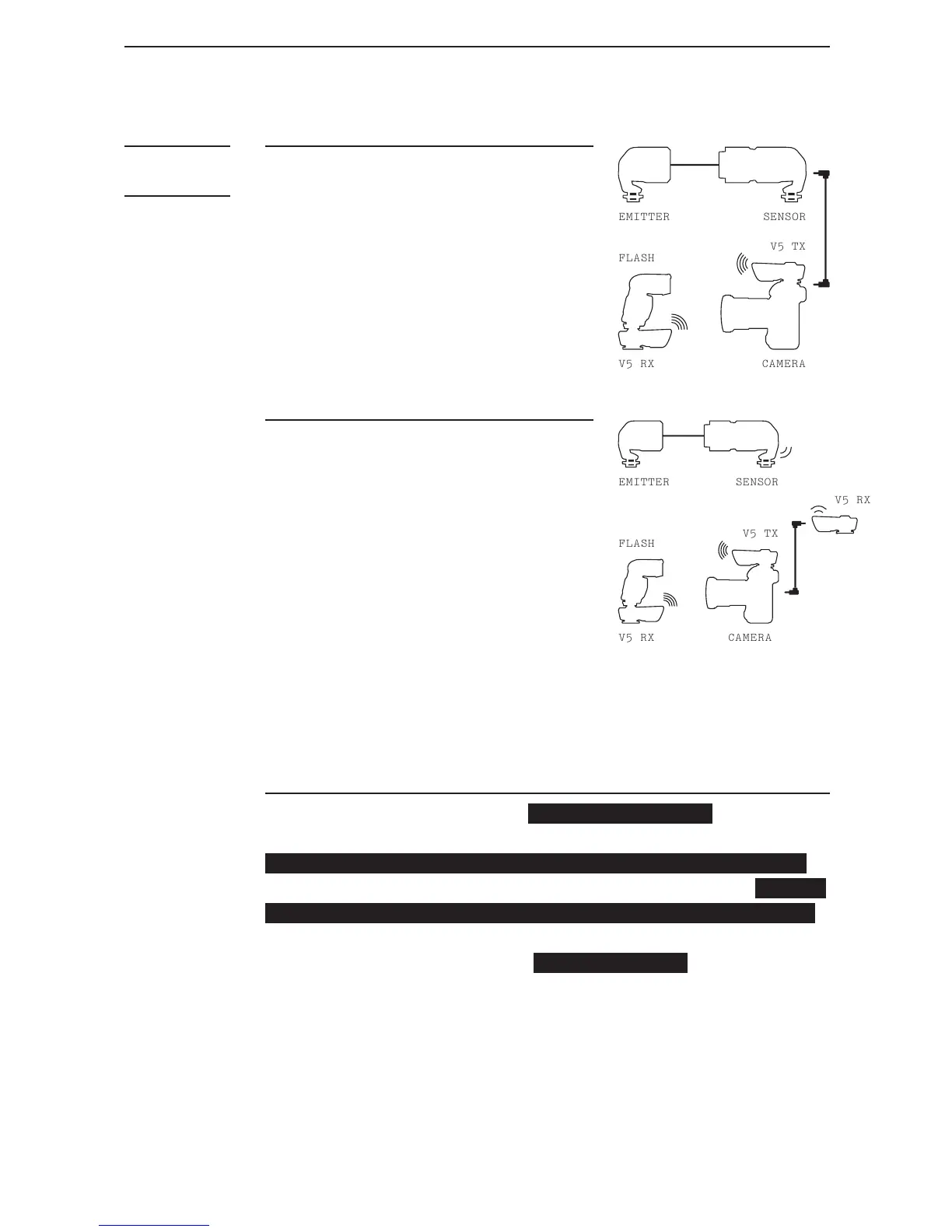
Option 2:
1. Use the Sensor’s wireless
function by pairing it with a
V5 RX. Set both to the same
channel (e.g. Ch 5).
2. Connect this V5 to camera by a
shutter cable (optional).
3. Set the pair of V5 used for
w i r e le s s a s h t o a d i ffe r e n t
channel (e.g. Ch 16).
Option 1:
1. Connect the Sensor to camera
by shutter cable (optional).
2. Mount V5 TX to camera hot shoe
a n d a s h t o V 5 R X,b ot h s e t t o
the same channel.
8. Advanced Operation
In certain situations, when (1) you need a pause between the
LV5 detecting an event and the moment the image is taken;
(2) you want to manipulate the length of a shutter signal
to trigger devices with different response time; or (3) y ou
want to stop the LV5 from responding to subsequent Events
for a certain period of time after an image was taken, two
timer functions of the LV5 – Delay and Freeze – can be used
to achieve these goals.



 To Next Page