yellowblue
2-33
Tilt Wheel
Tilt steering allows you to adjust the steering wheel
before you drive. Raising the steering wheel to the
highest level gives your legs more room when you enter
and exit the vehicle.
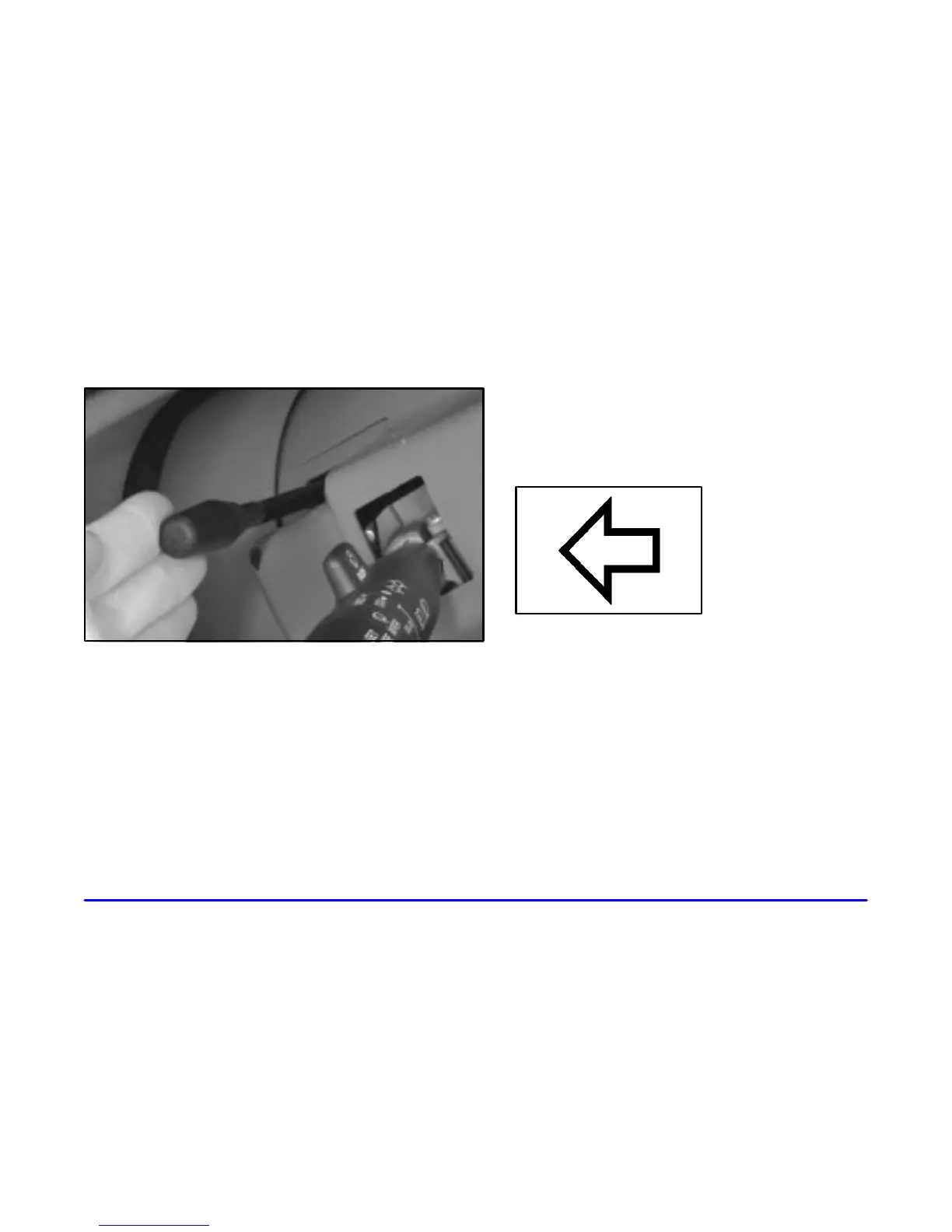
Hold the steering wheel and pull the lever toward you to
tilt the wheel. Adjust the steering wheel to a comfortable
position and then release the lever to lock the wheel
in place.
Turn Signal/Multifunction Lever
Turn and Lane Change Signals
To signal a turn, move the lever all the way up or
down. The lever returns automatically when the turn
is complete.
An arrow on the instrument
panel will flash in the
direction of the turn or
lane change.
Raise or lower the lever until the arrow starts to flash to
signal a lane change. Hold it there until the lane change
is complete. The lever returns when it’s released.
If the turn signal is left on, a warning chime will
sound and the Driver Information Center (DIC) will
display TURN SIGNAL ON (after driving about
1 mile (1.6 km/h)) to remind you to turn it off.











 To Next Page