7-98 Infotainment System
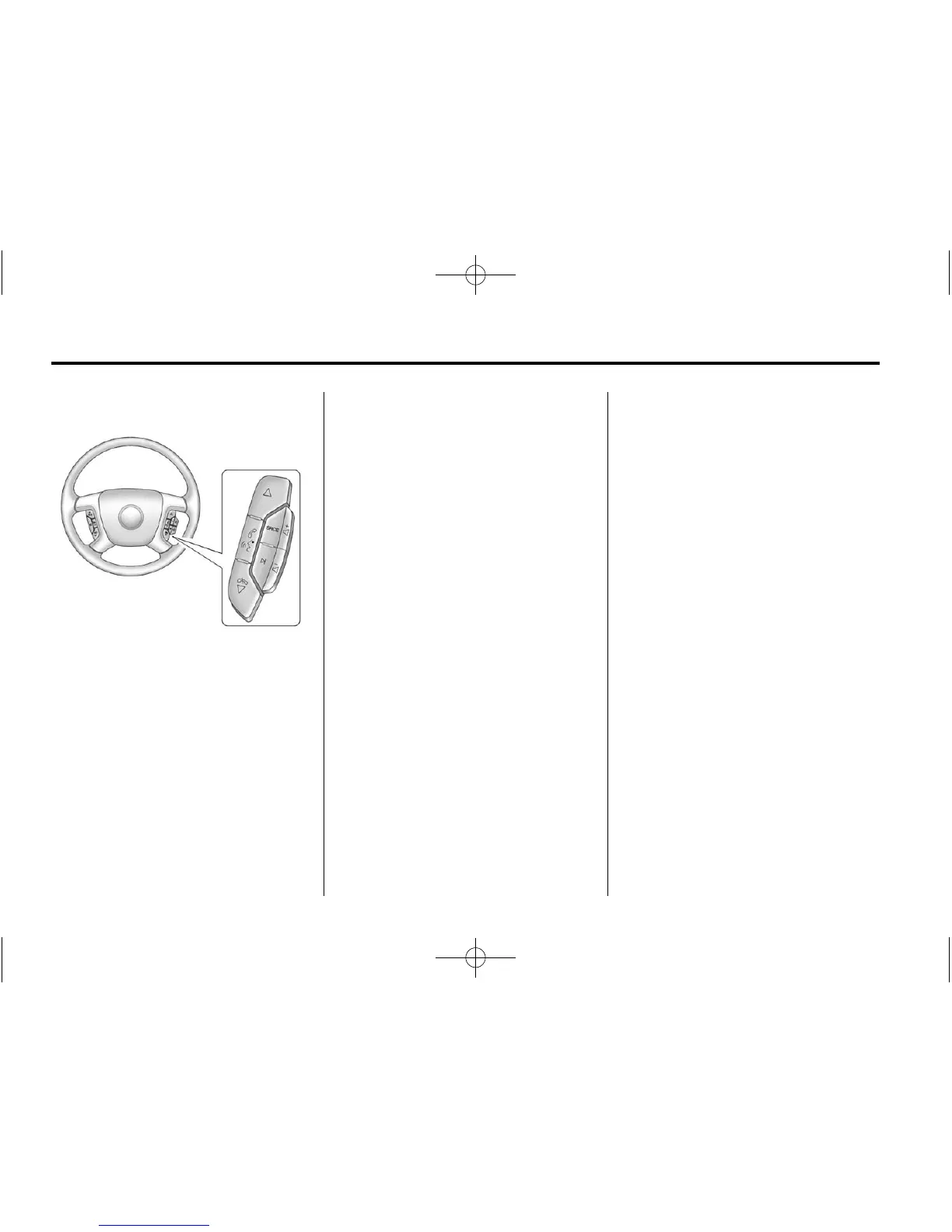
To use voice recognition:
1. Press and hold SRCE located
on the steering wheel until you
hear a beep. The audio system
mutes.
2. Clearly state one of the
commands listed on the
following pages.
Helpful Hints for Stating
Commands
.
When a multiple command is
available, choose the command
that works best.
.
Words that are in brackets are
optional. For example, for the
command Radio [band] [select]
FM, stating Radio FM or Radio
select FM are both valid
commands.
.
When the system recognizes the
command the system does one
of the following:
‐ Perform the function.
‐ Ask you to confirm your
choice.
‐ Issue an error message “Did
not recognize. Voice
Recognition Canceled.”
.
If you experience difficulty
with the system recognizing a
command, try saying it more
softly, and wait for a few
seconds after the beep,
or repeat the command.
.
Background noise may
cause voice commands to
be misunderstood, including
airflow noise from wind.
.
To use the voice recognition
system, the map DVD must be
loaded and the navigation
system must be on.
This system is able to recognize
commands in three different
languages. The system only
recognizes commands based on
the language selected from the
Driver Information Center (DIC).
See Driver Information Center (DIC)
on page 5‑24 for more information.
Voice Recognition Commands
The following list shows all of
the voice commands available
for the navigation system with a
brief description of each. The
commands are listed with the
optional words in brackets. To use
the voice commands, refer to the
instructions listed previously.









 To Next Page