6
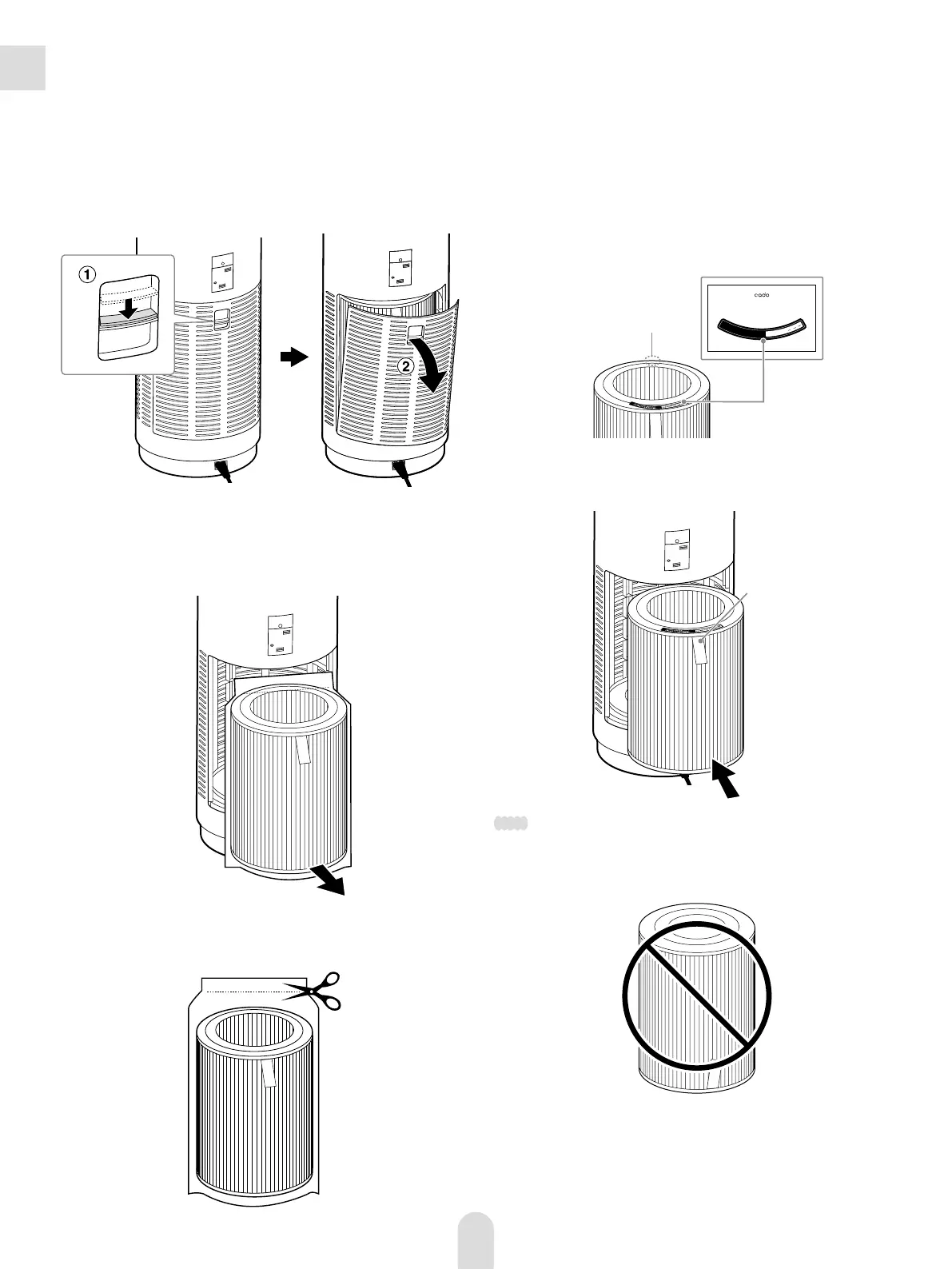
Remove the cover.
Slide down the cover switch on the rear of the unit
a
, and
remove the cover
b
.
Remove the deodorizing/dust collecting/anti-bacterial filter
from the polythene bag and place it inside the unit.
a
Take out the deodorizing/dust collecting/anti-bacterial
filter from the polyethylene bag of the unit.
b
Cut the polyethylene bag with the filter inside, then take
out the filter.
Installing the Deodorizing/Dust
Collecting/Anti-Bacterial Filter
1
2
c
Attach the Filter Start Date label on the filter. Write the filter
use start date on the label, then attach it onto the side
printed “TOP” on the filter.
XX-XXXX-XXXX
FilterStartDatelabel
Attachonthesideofthefilterprinted“TOP.”
C
o
l
l
e
c
t
i
n
g
/
A
n
t
i
-
B
a
c
t
e
r
i
a
l
F
i
l
t
e
r
A
P
-
C
2
0
0
D
e
o
d
o
r
i
z
i
n
g
/
D
u
s
t
S
t
a
r
t
D
a
t
e
o
f
U
s
e
M
:
D
:
Y
:
Jan.
1
2015
“TOP”
Filter Start Date
label
d
Place the filter deeply inside the unit so that its ribbon faces
outside when set.
Ribbon
Note
◦
When setting the filter, make sure the top and bottom’s position of the
filter is correct.
◦
If the filter’s top and bottom’s positions are wrong, the unit does not
emit wind.


 To Next Page