EasyManua.ls Logo

Cafe 27 Series - User Manual

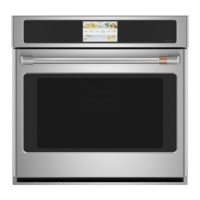
Cafe 27 Series
49 pages
Print Icon
To Next Page IconTo Next Page
Loading...
Owners Manual

Questions and Answers

  • J
    Jaime DavisSep 10, 2025
    What to do if LCD is not functioning properly on Cafe Oven?
    • T
      Teresa MitchellSep 10, 2025
      If the LCD isn't working correctly, check if a fuse in your home may be blown or the circuit breaker tripped, and replace the fuse or reset the circuit breaker. Ensure the oven controls are properly set by referring to the Cooking Modes or Settings section, and ensure the unit has the latest software update. If the screen is locked, unlock it by pressing the Unlock icon. If problems persist, cycle power at the circuit breaker and ensure the unit is updated. If the issue continues, visit cafeappliances.com/service.
  • P
    Paula CohenAug 22, 2025
    How to adjust the temperature on my Cafe 27 Series Oven if it's too hot or cold?
    • K
      karenobrienAug 23, 2025
      If your oven temperature is too hot or cold, the oven temperature may need adjustment. See the Cooking option under the Settings section.
  • T
    thompsonalexanderAug 25, 2025
    Why won't my Cafe 27 Series Oven self-clean?
    • V
      Veronica BrownAug 25, 2025
      Your oven may not self-clean if the temperature is too high. Allow the oven to cool and reset the controls. Also, make sure the oven controls are properly set; refer to the Cleaning the Oven section.
  • Y
    ypatrickAug 26, 2025
    Why is there excessive smoking during the clean cycle of my Cafe 27 Series Oven?
    • A
      Amy HannaAug 26, 2025
      Excessive smoking during the clean cycle is usually due to excessive soil or grease. Press Cancel to stop the cycle, open windows to clear the smoke, wait for the door to unlock, wipe up the excess soil, and then reset the clean cycle.
  • T
    Thomas McleanAug 28, 2025
    What to do if Cafe 27 Series door will not open after a clean cycle?
    • K
      Kristen RamosAug 28, 2025
      If the oven door won't open after a clean cycle, it's likely because the oven is still too hot. Allow the oven to cool below the locking temperature, and the door should then open.
  • K
    Kevin LynchAug 29, 2025
    Why does the clock on my Cafe 27 Series reset after a power outage?
    • S
      Sandra Thomas MDAug 29, 2025
      A power outage or surge will cause the clock to reset. Reset the clock. If the oven was in use, you must reset it by pressing Cancel, setting the clock and resetting any cooking function.
  • S
    Scott LeeSep 18, 2025
    Why is my Cafe 27 Series making fan noise?
    • J
      Joseph GravesSep 18, 2025
      A cooling fan may automatically turn on. This is normal. The cooling fan will turn on to cool internal parts. It may run for up to 1-1/2 hours after the oven is turned off.
  • A
    Anita LarsenSep 12, 2025
    Why is my Cafe 27 Series Oven not clean after a clean cycle?
    • M
      Melvin PittmanSep 12, 2025
      If your oven isn't clean after a clean cycle, ensure the oven controls are properly set (see the Cleaning the Oven section). Also, clean up heavy spillovers before starting the clean cycle, as a heavily soiled oven may not become completely clean in one cycle.
  • Y
    ysimonSep 8, 2025
    What does 'F— and a number or letter' on my Cafe 27 Series LCD screen mean?
    • K
      Kelsey GutierrezSep 8, 2025
      This indicates a function error code. Press Dismiss on the LCD screen and allow the oven to cool for one hour before putting it back into operation. If the error repeats, disconnect power to the oven for at least 30 seconds, then reconnect it. If the error persists, visit cafeappliances.com/service.
  • J
    Jennifer MendozaSep 5, 2025
    How to fix if food does not broil properly in Cafe 27 Series Oven?
    • K
      Kristen McintyreSep 5, 2025
      If your food isn't broiling correctly, ensure you've selected the appropriate broil mode and are using the correct rack position (refer to the Cooking Guide). Make sure the cookware is cool and suited for broiling. If using aluminum foil, ensure it's properly fitted and slit as recommended. In areas with low voltage, preheat the broil element for 10 minutes.

Summary

Safety Information: General Precautions

General Safety Instructions

Essential safety precautions for using the appliance.

Flammable Materials Warning

Precautions regarding flammable materials near the oven.

Safety Information: Oven and Fire Hazards

Fire Safety and General Oven Safety

Steps to take in case of fire and general oven operating safety.

Self-Cleaning Oven Safety

Safety guidelines specific to the self-cleaning function.

Safety Information: Operational and Disposal Guidelines

Continued Self-Cleaning Safety and Disposal

Covers continued self-cleaning safety and proper appliance disposal.

Protective Shipping Film Removal

Instructions for safely removing protective shipping film and tape.

Using the Oven: Control Functions

Oven Control Panel Overview

Explains various oven controls like Bake, Broil, Convect, and timers.

Using the Oven: Double Oven and Settings

Double Oven Operation

How to operate both upper and lower oven cavities simultaneously.

Oven Settings Introduction

Introduction to accessing and configuring oven settings.

Using the Oven: Settings Configuration

Detailed Oven Settings Explained

Explains settings like Clock, Lock Control, Sabbath, Sound, Display, Cooking, System.

Using the Oven: Sabbath Mode Operation

Sabbath Mode Usage and Exit

Instructions for entering, using, and exiting Sabbath mode.

Using the Oven: Rack Management

Oven Racks and Extension Rack Usage

How to use, remove, and replace oven racks and extension racks.

Using the Oven: Cookware and Liners

Oven Rack, Foil, and Liner Guidelines

Guidelines on using oven racks, aluminum foil, and oven liners.

Cookware Selection and Usage

Recommendations on selecting and using cookware for optimal baking results.

Using the Oven: Cooking Modes

Oven Cooking Mode Explanations

Explains various cooking modes like Bake, Broil, Convection, Proof, and Warm.

Using the Oven: Temperature Probe

Probe Usage, Placement, and Care

Instructions for proper placement, usage, and care of the oven temperature probe.

Cooking Guide: Lower Oven

Lower Oven Food Preparation

Recommendations for cooking various foods in the lower oven.

Cooking Guide: Upper;Single Oven

Upper;Single Oven Food Preparation

Recommendations for cooking various foods in the upper or single oven.

Care and Cleaning: Exterior Surfaces

Exterior Oven and Control Panel Cleaning

Instructions for cleaning the oven's exterior surfaces and control panel.

Care and Cleaning: Oven Interior

Interior Oven Cleaning Methods

How to clean the oven interior using manual, steam, or self-clean modes.

Care and Cleaning: Racks and Probe Maintenance

Oven Rack and Probe Maintenance

Procedures for cleaning and maintaining oven racks and the temperature probe.

Care and Cleaning: Oven Light and Door

Oven Light Bulb Replacement

Step-by-step guide for replacing the oven light bulb.

Oven Door Removal and Reinstallation

Instructions for safely removing and reinstalling the oven door.

Troubleshooting: Oven Performance Issues

Oven Cooking and Temperature Troubleshooting

Addresses issues like cooking differences, improper baking/broiling, and temperature.

Troubleshooting: Operation and Connectivity

Oven Operation, Error Codes, and Connectivity

Solutions for problems like oven not working, error codes, and connectivity.

Limited Warranty Information

Café Electric Oven Limited Warranty Details

Outlines warranty coverage, exclusions, and terms.

Accessories and Parts

Available Oven Accessories and Parts

Lists optional accessories, replacement parts, and cleaning supplies.

Consumer Support and Service

Getting Help and Website Resources

Information on contacting support, scheduling service, and website resources.

Cafe 27 Series Specifications

General IconGeneral
FinishStainless Steel
Voltage240V
Frequency60 Hz
TimerYes
ConvectionYes
Self-CleaningYes
Interior LightingYes

Related product manuals