Need help?
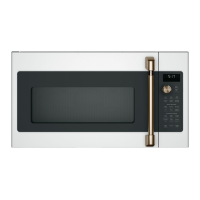
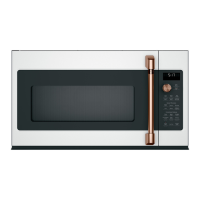
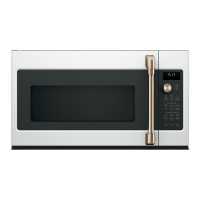
Do you have a question about the Cafe CVM517P4R1W2 and is the answer not in the manual?
Basic safety guidelines and warnings for using the appliance.
Precautions for safe installation of the appliance.
Steps to reduce risks of fire and burns during operation.
Safety guidelines for operating and cleaning the appliance.
Precautions regarding superheated water to prevent injury.
Guidelines for safe use of the microwave rack accessory.
Safety advice for vent fan use and considerations for individuals with pacemakers.
Detailed guidelines to prevent excessive microwave energy exposure.
Essential steps for proper grounding to prevent electric shock.
Details on the door handle, latches, and window.
Information about the control panel, selector dial, turntable, and support.
Explanation of shelves for cooking and the cooktop heat deflector.
How to use microwave cooking times and automatic features like Express Cook and Defrost.
Using sensor features for cooking various food types.
Controls for Convection Bake, Convection Roast, and Air Fry modes.
Instructions for using the Combination Fast Cook feature.
How microwave energy is used for fast and efficient cooking.
Using heated air and a fan for browning and moist interiors.
Combining microwave and convection for speed and browning.
How to use the dial for selection and control.
Setting cooking duration and adding time in 30-second increments.
Programming two sequential microwave cooking stages with different power levels.
Defrosting food based on its weight using automatic settings.
Defrosting food for a specified duration with adjustable power levels.
Advice for effective and safe food defrosting.
Setting and adjusting microwave power levels for optimal cooking.
Sparks in the oven caused by incorrect installation or materials.
Techniques for managing steam and moisture during cooking.
How the humidity sensor detects and adjusts cooking time.
Using the Cook feature for steaming or retaining moisture in foods.
Instructions for Timed Steam and Sensor Steam cooking methods.
Using the automatic popcorn setting and adjustments.
Instructions for heating beverages using the dedicated feature.
Reheating cooked foods and foods not suitable for this feature.
Detailed steps and tips for using the Cook feature.
Advice for optimal results when using sensor cooking modes.
Using preheating for convection baking and roasting.
Direct convection baking or roasting without preheating.
Automatic temperature conversion for convection baking.
Using preheating for the Fast Cook combination mode.
Using the Fast Cook mode without preheating.
Using automatic settings for air frying different foods.
Manually setting temperature and time for air frying.
Recommendations for using accessories with the Air Fry feature.
Recommended cookware for Convection Bake/Roast and Combination Fast Bake.
How to use various accessories like turntables, trays, and racks.
Notifications for finished cooking and using the minute timer.
Functions for starting, pausing, stopping, and cancelling operations.
How to use the steam cleaning cycle for the oven interior.
Managing the turntable and enabling child lock for safety.
Setting the clock, clock mode, and adjusting display speed.
Features for automatic lighting and custom cycle programming.
Adjusting sound levels and syncing lights/fan with range.
Adjusting convection bake settings and baking temperature.
Notification for replacing the air filter.
Manual control of the vent fan and surface light.
How the automatic fan protects the oven from heat.
Connecting the microwave to a Café range via Bluetooth.
Instructions for cleaning the inside walls, floor, and door parts.
Procedures for cleaning the removable turntable, support, and shelves.
Guidelines for cleaning the oven case, control panel, and door panels.
Information on the vent fan and cleaning reusable filters.
Steps for replacing the disposable charcoal filter.
Troubleshooting common problems like oven not starting or control panel issues.
Explaining sounds and conditions considered normal during operation.
Regulatory statement regarding radio frequency interference.
Kits to fill gaps when replacing a range hood with a microwave.
Kits for ovens that cannot be vented to the outside.
Details on parts covered, duration, and what Café will replace.
Items not covered by the warranty and limitations on implied warranties.
Accessing the website for information, support, and appliance registration.
How to schedule repair service and purchase extended warranties.
Ordering parts, accessories, and assistance with wireless connectivity.
How to contact Café Appliances for further assistance or feedback.
 General
| Brand | Cafe |
|---|---|
| Model | CVM517P4R1W2 |
| Category | Microwave Oven |
| Language | English |

 To Next Page