Drink delivery with pre-selections
Your dispenser supports pre-selection options. The
service technician may activate pre-selection options
during installation. When the pre-selection button is
pressed, the following pre-selections can be activated
Strength (mild, normal or strong drinks)
Volume (small, normal or large drinks)
Add extra sugar (3 steps)
Add extra milk (3 steps)
Note:
only one of volume, extra sugar and milk can be active
at one time.
If you press a pre-selection button, but do not press
the delivery button, the dispenser will return to the
default state after a few seconds.
Strength pre-selection
1. Place your cup.
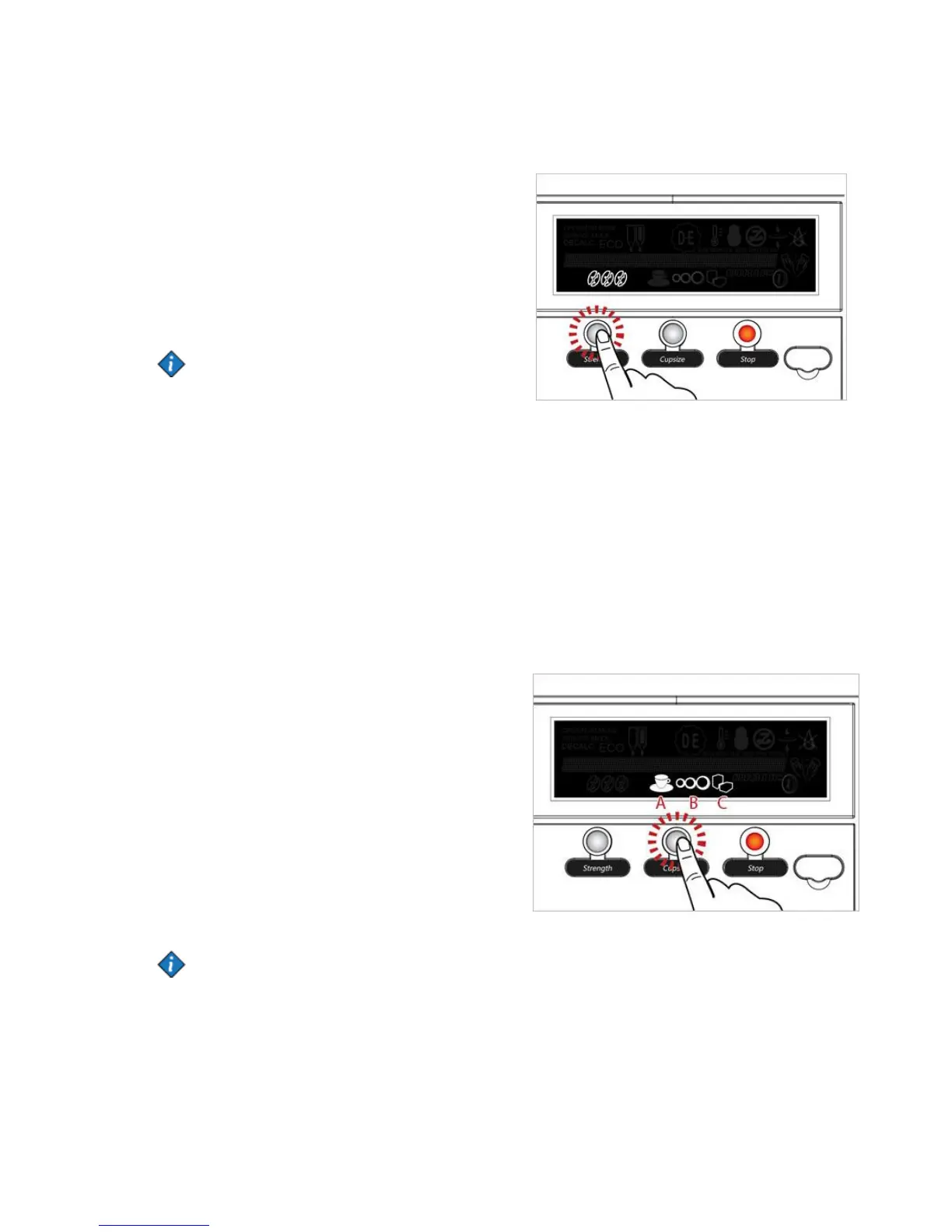
2. Press the pre-selection button STRENGTH to apply
your desired setting. The bean icon will change
between mild - normal - strong.
3. Press the pre-selection button until the desired
strength is marked.
4. Press a drink button. The drink will be delivered with
the selected strength.
Note:
If the icon A+B is lit the pre-selection button
is set for "volume".
If B+C is lit the pre-selection button
is set for "extra sugar".
If only B is lit the pre-selection button
is set for "extra milk".
Volume pre-selection example
1. Place your cup.
2. Press the pre-selection button VOLUME to apply
your desired setting. The cup icon will change between
small - medium - large.
3. Press the pre-selection button until the desired
portion size is marked.
4. Press a drink button. The drink is delivered with
the selected portion size.


 To Next Page