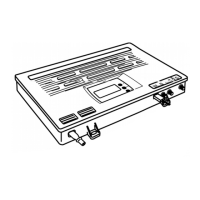
Press the button ⋀, is displayed.
This function allows you to set the 1 – 0 to 30 dB filter attenuation in 1 dB increments.
Repeat the same procedure for setting the filter n ° 2.
If you want to filter affects only a single channel (ex: C21), adjust the 1
St
channel of the selected filter on and the last on by
simultaneously pressing the keys ⋀ and ⋁ by simultaneously pressing the keys
⋀ and ⋁.
and ; the filter 1 will be inactive.
6 / UHF input ATTENUATOR setting and to the
The Setup menu of the attenuators for UHF inputs and is accessible only from
the "POWER ON" on the display of the amplifier status. (screen off, bottom
right led).
To access the "POWER ON":
State simultaneously press the keys ⋀ and ⋁ on any screen provided that it
does not blink.
Press the button ⋀ for 3 seconds to see the programming of the attenuators
menu inputs UHF.
is displayed. The UHF1 input has an attenuation level 0.
Briefly press the button "OK" , the display starts to Flash.
Has the keys ⋀ and ⋁ adjust the attenuation level of 0 to-20dB.
Press the 'OK' button again to confirm your choice; the display will no longer
blink if the setting has been confirmed.
Has the keys ⋀ and ⋁ scroll attenuators of the other entries to resolve.
For the adjustment of the UHF2 input and to, repeat the same procedure for
setting the UHF1 input.
7 / Setting ATTENUATOR INTER floor (UHF output level)
After you configure the input levels, further adjustment of the General levels of
output of UHF signal can be useful.
With touch ⋀ and ⋁ scroll through the filters of your configuration to
8
U1.00.


 To Next Page
 Loading...