Call Us Toll-Free Today!
1.833.203.2473
WWW.CAIREMEDICAL.COM
QUICK START GUIDE FREESTYLE
®
AND FREESTYLE
®
5
2
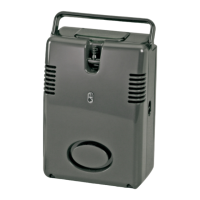
Getting to Know Your FreeStyle
Review all Warnings, Cautions and additional device
information in the rest of this manual.
Become familiar with the key features of the FreeStyle and
the User Control Panel.
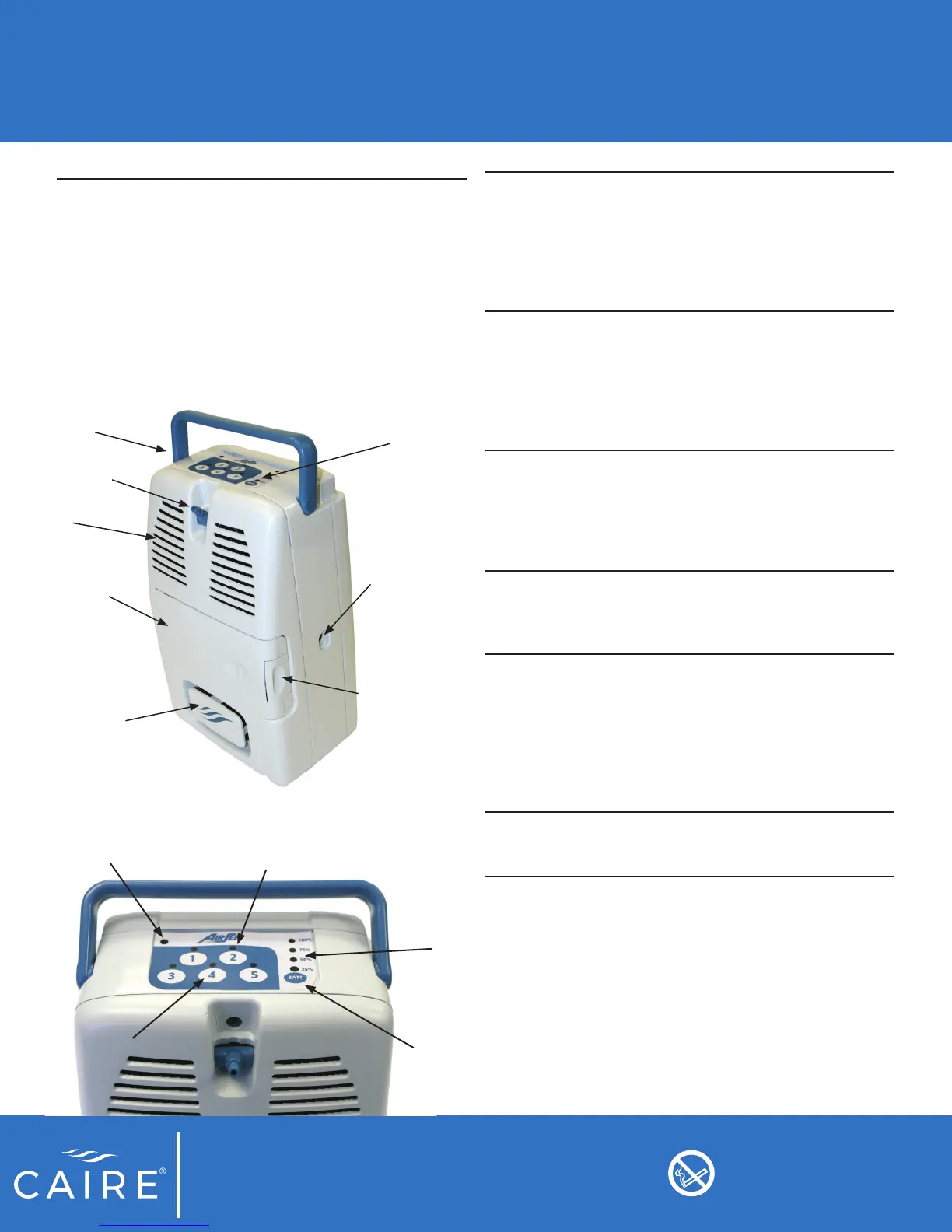
Flow
Selection
Buttons
To power the device ON or OFF, press the
numeric button of your prescribed pulse
ow setting. The Pulse ow indicator light
will illuminate green above the selected
ow setting when the unit is ON. You can
also change ow settings by pressing the
numeric button of the desired setting.
Pulse Flow
Indicator
Lights
Will illuminate green to indicate the
selected ow setting. The light above
the ow selection button indicates it is
running at that ow setting. The pulse
ow indicator light will blink with each
inhalation to indicate oxygen has been
delivered.
Alarm
Indicator
Light
ndicates an alarm condition on the
concentrator. A prompt response is
necessary. Refer to the troubleshooting
table in this manual, and contact your
homecare provider if necessary for
assistance.
Battery
Status Button
Press once to display the battery gauge
indicator to determine how much time is
remaining on the charge of the installed
battery pack
Battery
Gauge
Indicator
Lights
Each light represents approximately 25%
of the total battery pack charge. Battery
charge will display when the battery status
button is pressed. When the battery is
charging, the indicator lights will blink until
the % capacity level is reached. Once
the capacity level is reached they will turn
solid.
Buzzer: An audible alarm (or buzzer) alerts you to the
operating condition of the device, either a warning or
failure, and conrms a valid key press.
Handle
Oxygen
Outlet
Air Outlet(s)
Battery Pack
Air Intake /
Filter Cover
Control Panel
Inlet for Power
Connections
Battery Pack
Release Button
Alarm Indicator Light
Pulse Flow
Indicator
Flow
Selection Buttons
Battery Gauge
Indicator Lights
Battery Status
Button
Do not smoke near unit
or while operating unit.


 To Next Page