9
CAIROX
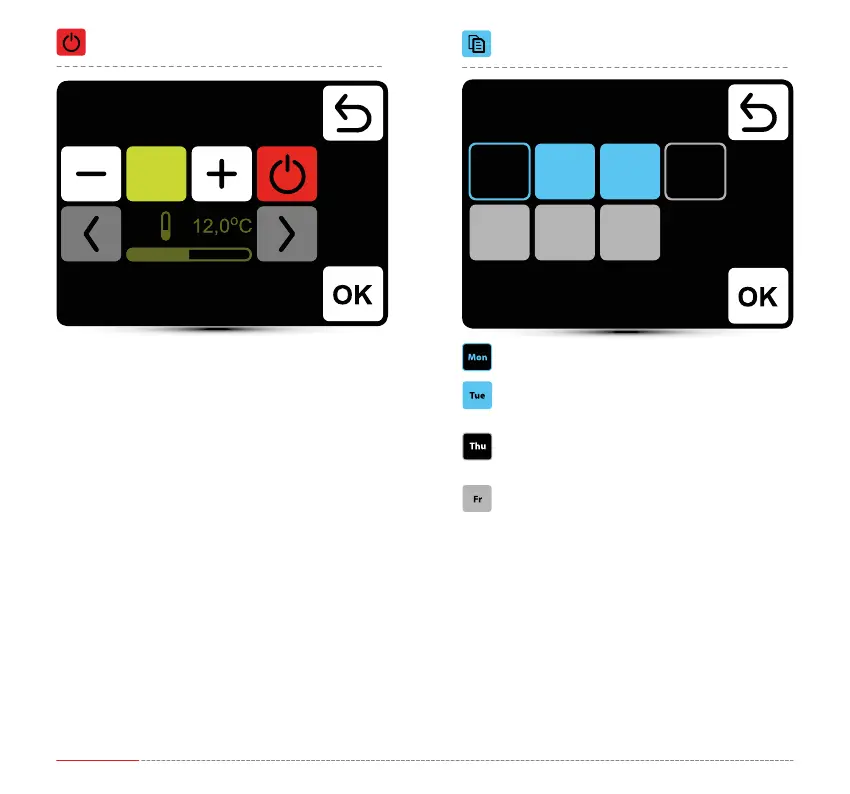
Calendar – Copying events
day from which events will be copied
day selected for copying events from PN day
day with already programmed operation
schedule – you can also copy here the events
from PN day
day without programmed operation schedule
Calendar – Adding the OFF event
In given example units will be turned o at 16:00.
SYSTEM WILL BE TURNED OFF UNTIL THE NEXT EVENT,
ACCORDING TO CALENDAR SETTINGS.
Weekly programer
Copy
Weekly programer
New task
Mon ThuTue
SatFr
4:00PM
Wed
Sun



 To Next Page