Evaporative air cooler
8
Evaporative air cooler
XIII
Cleaning and maintenance
、
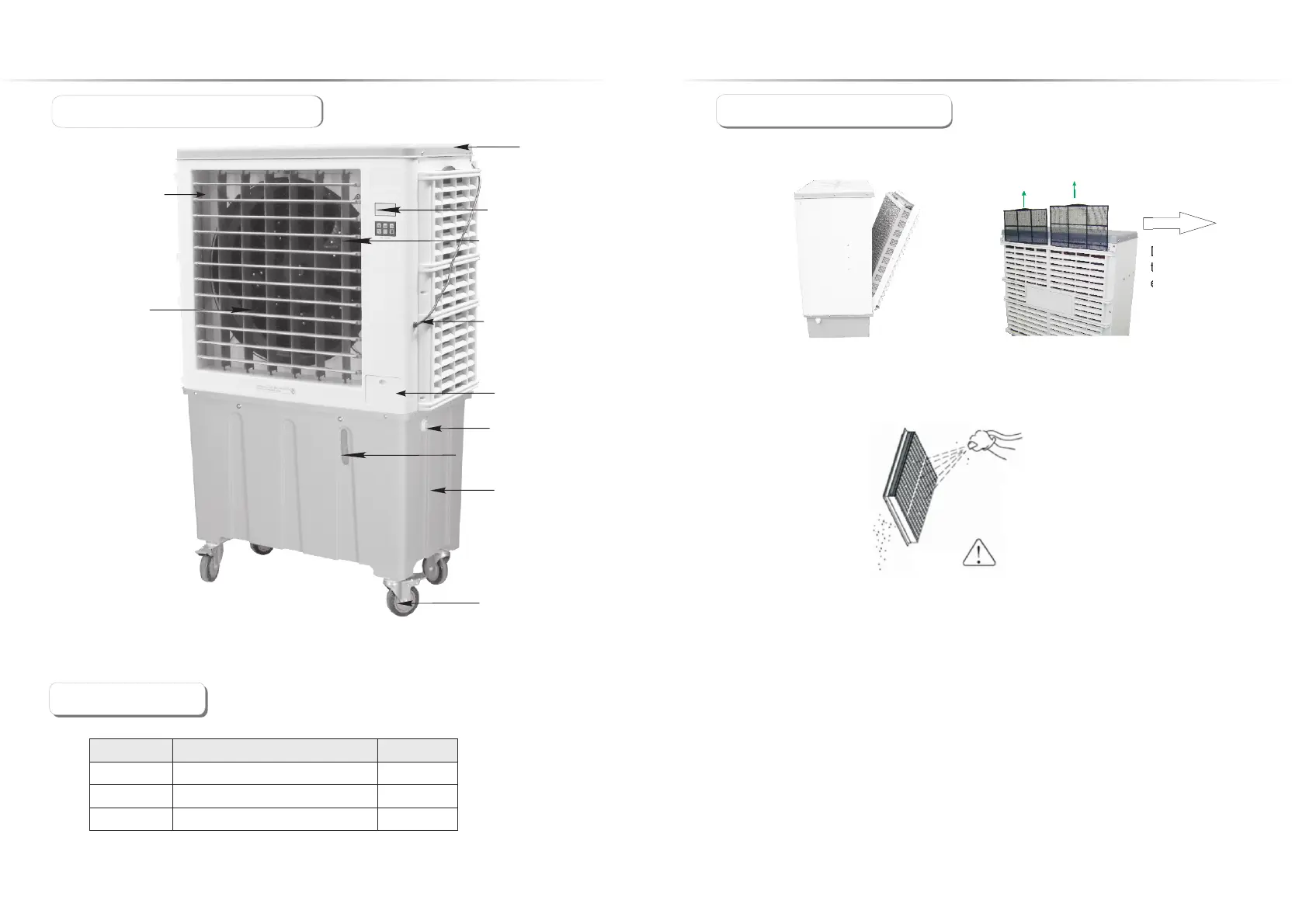
◆Cleaning the cooling pads and dustproof net
VII Package Content、
3
V Structure of MachineI、
top cover
power supply wire
controller
water container
floating water inlet valve
air outlet
manual water inlet
axial fan
wheel with brake
electric swing
(vertical wind bar)
water level display
Product manual
1
1
No.
Name
Quantity
Air cooler
1
Warranty card
3
2
1
Pull out the power supply power plug, screwing out the screws from the louver by
electric drill. Holding the top of louver and pull out (with a bit pull upward), remove the
cooling pads kits and wash them by high pressure water gun, until the dirt
complete be washed out.
Attention:
When washing the cooling pads do not use too high pressure water ,it will damage the
pads, and do not use any acid or alkaline detergents to clean the machine.
◆Clean the water container
Method of cleaning:
◆Cleaning the machine hull
1.Turn on the drain outlet cap at the bottom of the machine and drain all the water inside.
2.Pull out power supply plug, screwing out the screws from louver and take out the louver.
3.Use soft cloth or soft brush to clean the chassis.
4.Use wet washcloth to clean out the dirt on the water level sensor.
5.Use the washcloth to clean out the dirt on the water pump and dust proof net.
6.Screwing down the drain outlet cap at the bottom of the machine after finish cleaning.
Using the soft washcloth to clean the machine hull。(Not allow to use the detergent with foaming ,
volatile solvent or hard brush to clean. The fault method of cleaning will damage the equipment
and cause the danger happen.)
Take out the dustproof net upward
Dust proof net should
take out and clean
every week.


 To Next Page