21
CalDigit
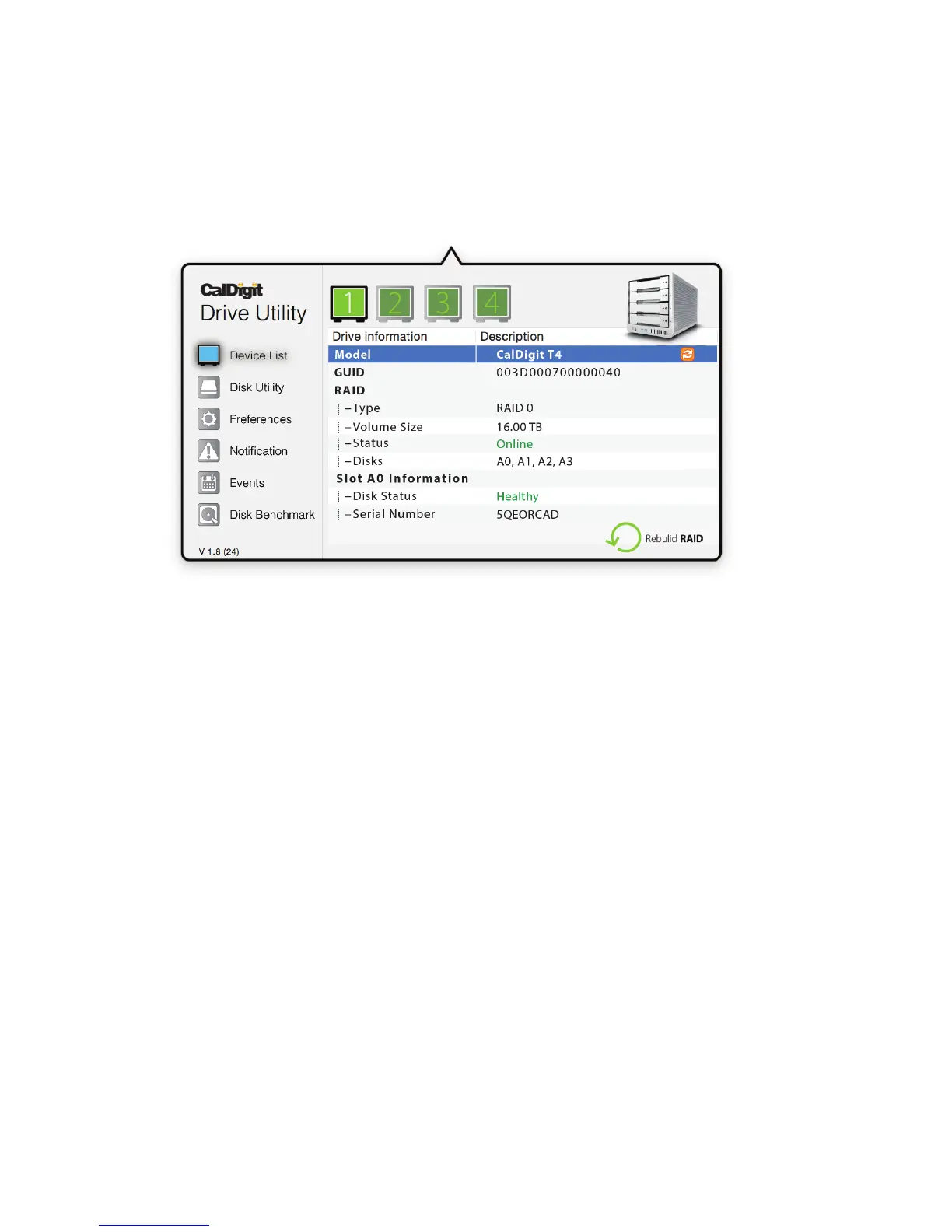
Device List
The device list tab allows users to monitor all your CalDigit Thunderbolt RAIDs and relays information
such as drive temperature, volume size, and drive health.
Disk Utility
The disk utility tab allows users to create a new RAID or delete an existing RAID set. Once a new
RAID has been created, the user must then create a new partition in order to use the RAID.
Preferences
The preferences tab allows users to set their S.M.A.R.T. preferences.
Notications
The notications tabs allows users to set their notication types and preferences. Enter your
network settings in the Email Notication tab to enable email alerts.
Events
The events tab will display the event log in chronological order.
Disk Benchmark
The disk benchmark tool is an integrated benchmark tool that allows users to test the speed of their
storage devices.
The CalDigit Drive Utility is a powerful tool that allows users to congure, monitor, and diagnose
their CalDigit Thunderbolt RAIDs.
3. CalDigit Drive Utility



 To Next Page