9
CalDigit
Connecting the T4
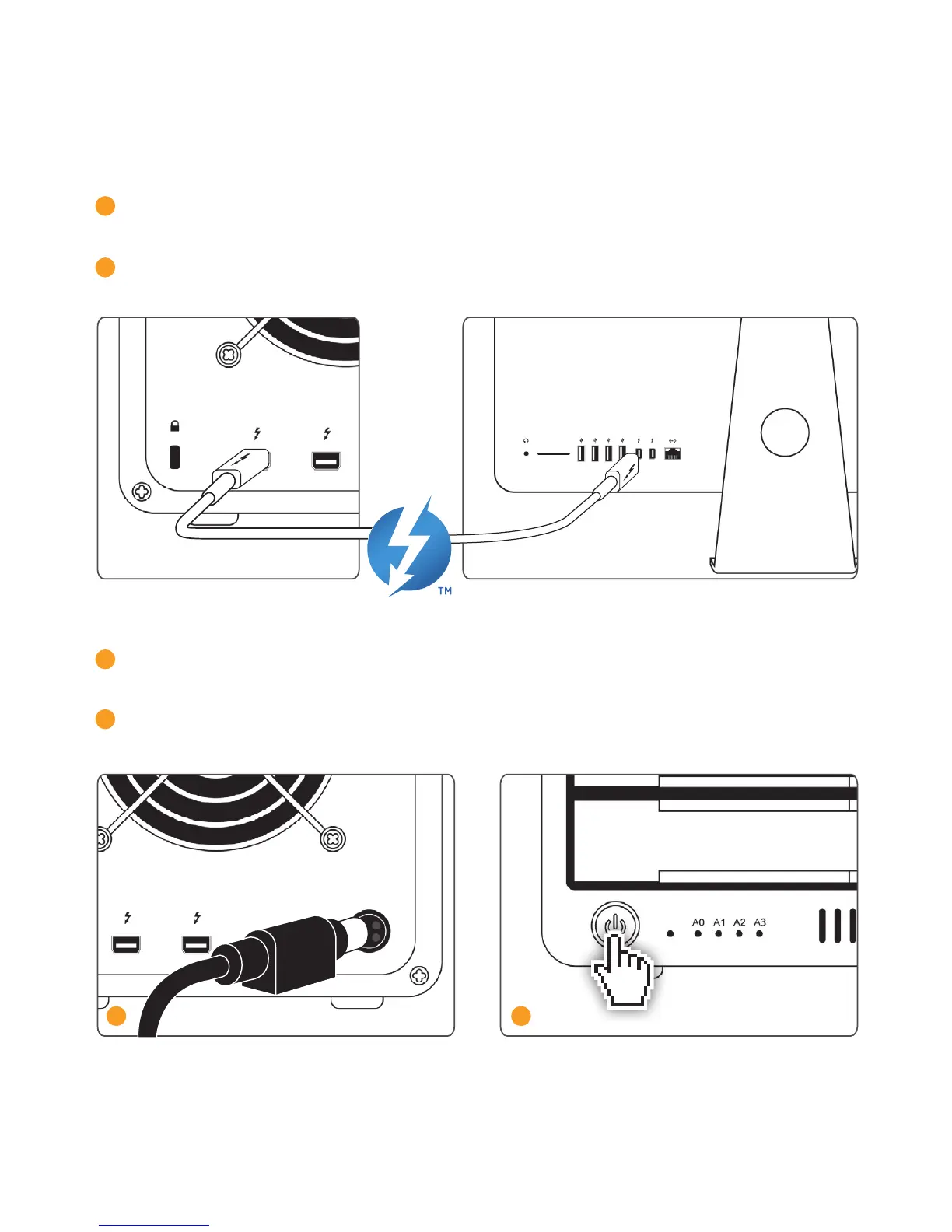
1 Turn on the computer, make sure you have logged into the OS.
2 Connect a Thunderbolt cable* from your computer to the T4.
3 Connect the power supply to the T4.
4 Press the T4’s power button and it will boot. You will see it mount and it will be ready for use.
3
4
*Thunderbolt cable sold separately.



 To Next Page