EasyManua.ls Logo

Caliber MCD-263 - User Manual

Caliber MCD-263
19 pages
Print Icon
To Next Page IconTo Next Page
Loading...
AUX IN
EQ
MOD
LOUD
BAND
AMS
12345
6
SCN RPT SHF
TA AF PTY
< PUSH
SEL
VOL
DISP
ST
REG
MCD263
R
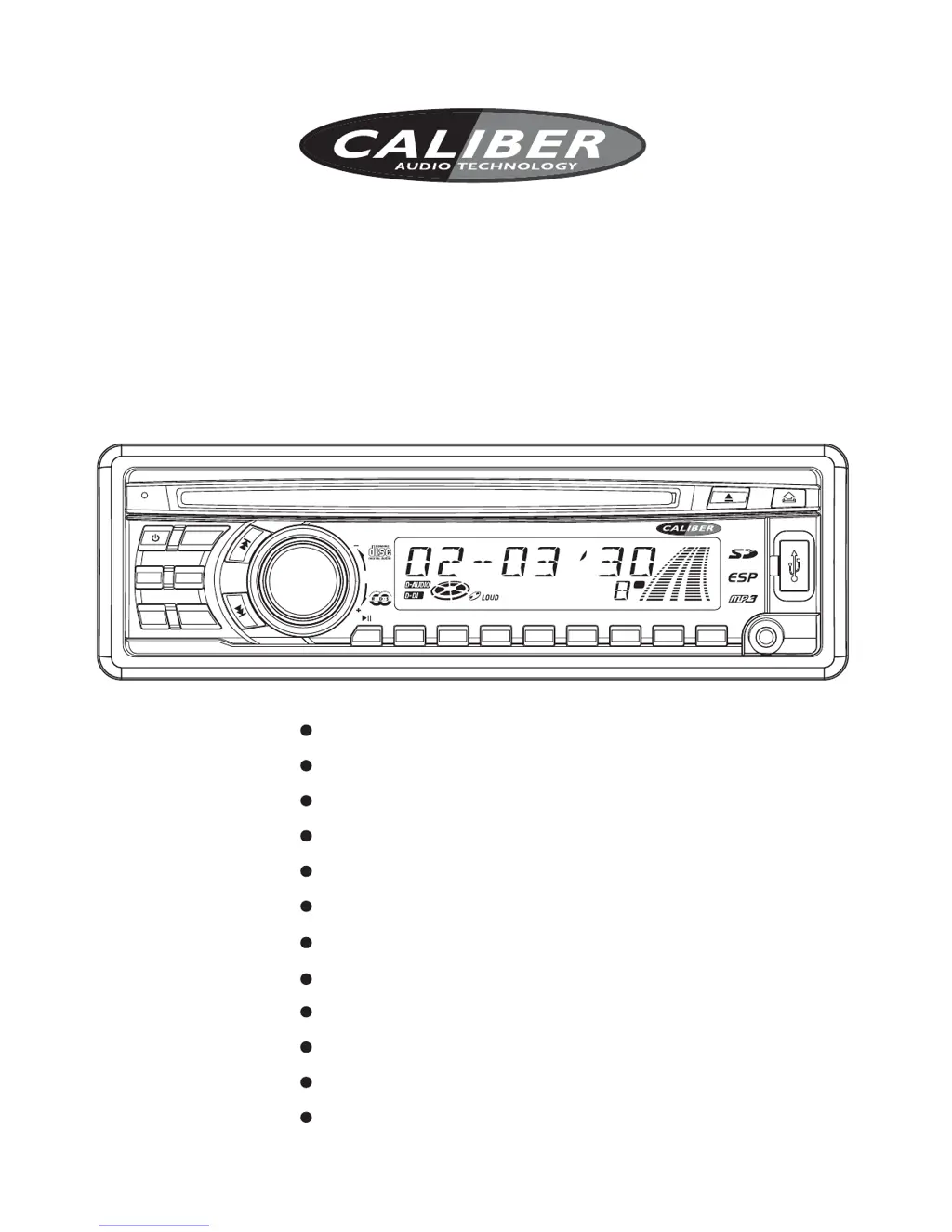
CAR CD/MP3 PLAYER
PLL Synthesizer Tuner
Anti-Shock Mechanism
LCD Digital Display
USB Port & SD/MMC Card Slot
Telephone Mute Function
FM Stereo Radio
AUX IN & RCA Output Socket
4 70Wx High Power Output
RDS (Radio Data System) Function
ISO Connectors for Power Supply
and Speaker Outputs
CD/MP3 CAR RADIO WITH RDS FUNCTION
Instruction Manual
Full Detachable Front Panel
Remote Control
MCD-263

Questions and Answers

  • E
    Eric PattersonJul 30, 2025
    Why is there no sound coming from my Caliber MCD-263 Car Receiver?
    • K
      Kristin CharlesJul 30, 2025
      If your Caliber Car Receiver isn't producing any sound, first, make sure the volume isn't set to the minimum. If it is, adjust it to a comfortable listening level. If the volume is okay, check the wiring connections to ensure everything is properly connected.
  • B
    Benjamin GreenAug 3, 2025
    What causes the sound to skip on my Caliber MCD-263?
    • E
      Erin BallAug 3, 2025
      If the sound skips on your Caliber Car Receiver, it might be due to the installation angle being more than 30 degrees. Adjust the installation angle to be less than 30 degrees. Also, check the CD for dirt or scratches; clean the disc or try a new one if necessary.
  • P
    Peter MorrisAug 7, 2025
    Why does my Caliber MCD-263 have no radio reception?
    • C
      Chad GonzalezAug 7, 2025
      If your Caliber Car Receiver isn't picking up any radio stations, ensure the antenna cable is securely inserted into the antenna socket on the CD player.
  • N
    Nicholas PerezAug 11, 2025
    How to fix a Caliber MCD-263 that has no power?
    • C
      christophersharpAug 11, 2025
      If your Caliber Car Receiver is not getting power, there are a couple of things to check. First, if the power supply is connected to the car accessory circuits, ensure the car ignition switch is turned to “ACC” if the engine isn't running. Also, check the fuse; if it's blown, replace it with a new one.
  • B
    blankenshipcameronAug 16, 2025
    What to do if the operation keys on my Caliber MCD-263 don't work?
    • M
      Melissa HarrisAug 16, 2025
      If the operation keys on your Caliber Car Receiver aren't working, it could be due to a few reasons. Noise might be affecting the built-in microcomputer, so try pressing the RESET button to restore the program. Also, make sure the front panel is properly installed and fixed in its place.
  • S
    Sandy PadillaAug 20, 2025
    Why won't my Caliber MCD-263 load or eject the disc?
    • C
      Carol CarpenterAug 20, 2025
      If your Caliber Car Receiver's disc is not loading or ejecting, consider the following possibilities: * If there is already a disc inside, remove it before inserting a new one. * Ensure that you are inserting the CD with the label facing upward. * If the disc's surface is dirty or scratched, clean it or try a new one. * If the car's internal temperature is too high, cool it down and try again when the temperature returns to normal. * Condensation may be present. Leave the player off for about an hour before trying again.
  • M
    Marcus HornAug 25, 2025
    What to do if my Caliber MCD-263 Car Receiver doesn't stop at stations in automatic search mode?
    • L
      Leslie GrantAug 25, 2025
      If your Caliber Car Receiver does not stop at a transmitting station while in automatic search mode, it is likely that the transmission signals are too weak. In this case, manually select a radio station.

Summary

Installation

DIN FRONT-MOUNT (Method A)

Detailed steps for installing the unit using the front mounting method.

DIN REAR-MOUNT (Method B)

Instructions for rear mounting the unit, often for specific vehicle types.

Wiring Diagram

General Operations

Switching On;Off and Sound Adjustment

Basic operations like powering the unit, volume, and audio settings.

Radio Operations

Switching and Tuning

How to switch to radio mode, select frequency bands, and tune stations.

RDS (Radio Data System) Operations

CD;MP3 Disc Operations

Specifications

Trouble Shooting

Caliber MCD-263 Specifications

General IconGeneral
BluetoothYes
USB PortYes
Aux InputYes
Supported Audio FormatsMP3, WMA
EqualizerYes
Radio Data System (RDS)Yes
CD-R playbackYes
CD-RW playbackYes
ISO connectorYes
Product colourBlack
Audio output channels4
Supported radio bandsFM
Frequency Response20 - 20000 Hz

Related product manuals