Need help?
Do you have a question about the Callaway Golf UPRO MX and is the answer not in the manual?
Provides a brief overview of the device's inputs and outputs.
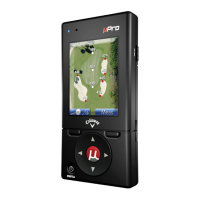
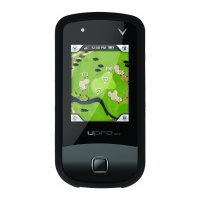
Details the physical controls and buttons on the Callaway UPRO MX device.
Explains the use and supported gestures of the device's capacitive touch screen.
Describes the function of the Power, Mode, and Optical Finger Navigation buttons.
Details the LED indicator, Micro-USB Port, and Headphone Jack.
Explains the methods for powering the device on and off.
Describes the Main Menu and available navigation options.
Information on using the device for playing golf, including course pre-loads.
Details how to navigate menus and lists on the device.
Explains how to access navigation options in different play modes.
Guides on scrolling and selecting items from lists on the device.
Instructions on selecting and starting a golf round from the Main Menu.
Details the BasicMode features and views, including Green and Hazard Views.
Describes the Green View display showing distances to the green's front, center, and back.
Explains the Hazard View, showing distances to hazards and clearance distances.
Details how to measure shot distances using the Shot Tracking function.
Explains indicators for time, battery level, and satellite signal strength.
Details the GoMode option for enhancing approach shot understanding.
Describes accessing AnyPoint technology while in GoMode.
Details the ProMode technology for enhanced golf information.
Explains the SmartView technology for dynamic course views in ProMode.
Details how to use pan and zoom features on the course imagery.
Explains how distances are displayed and color-coded in ProMode.
Details the AnyPoint feature for measuring distances on the course.
Details the Shot Tracking ability to select clubs and track yardage.
Explains how to keep score for yourself and up to 3 playing partners.
Allows reviewing and editing scorecards from previous rounds.
Details how to manually change holes during a golf round.
Details how to access and use the Hole Change menu.
Allows alteration of device functionality and enabling additional features.
Provides device details like owner, contact, serial number, and software version.
Adjusts units of measure, power settings, time zone, and language.
Allows adjustment of backlight, font size, and green outline display.
Allows setting preferences for scorecard usage and statistics.
Explains how to enable the Preview Mode from the Main Menu.
Provides the FCC Class B Part 15 statement and warnings for the device.
 General
| Brand | Callaway Golf |
|---|---|
| Model | UPRO MX |
| Category | GPS |
| Language | English |

 To Next Page